User Menu Actions
User menu actions work with userMenu component through actionItem.
Below are the standard user menu action types.
sec_userMenuSubstituteUser
Action class: UserMenuSubstituteUserAction
Depending on the number of substituted users, either opens a lookup view to select a substituted user or shows a submenu with the substituted users.
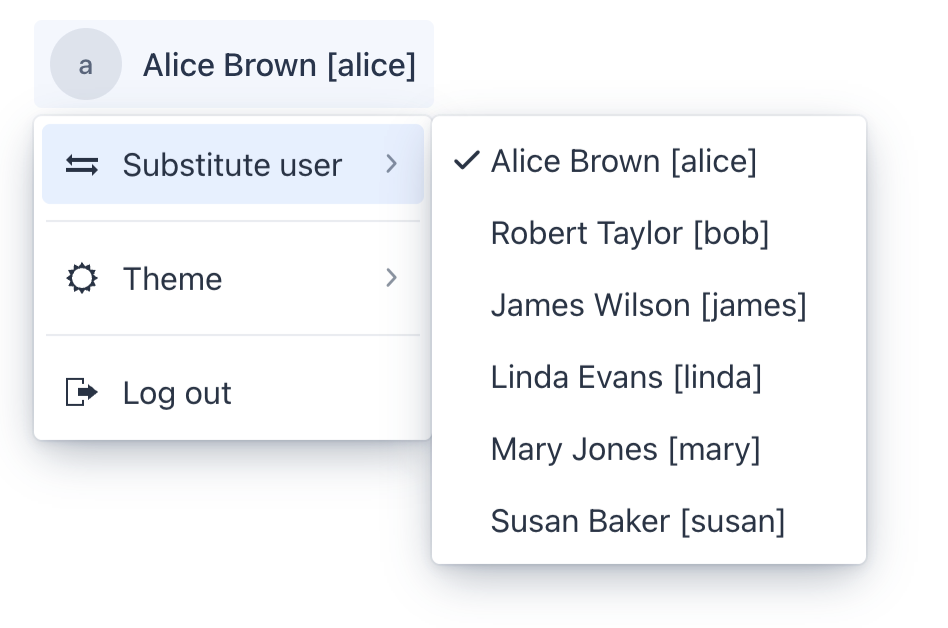
You can define the maximum number of users that can be substituted by the currently authenticated user, which shows a submenu instead of opening a lookup view using the jmix.security.ui.substitute-user-action-max-substitutions application property. The default value is 5.
|
userMenu_themeSwitch
Action class: UserMenuThemeSwitchAction
Provides a submenu to switch between color schemes: light, dark and system.
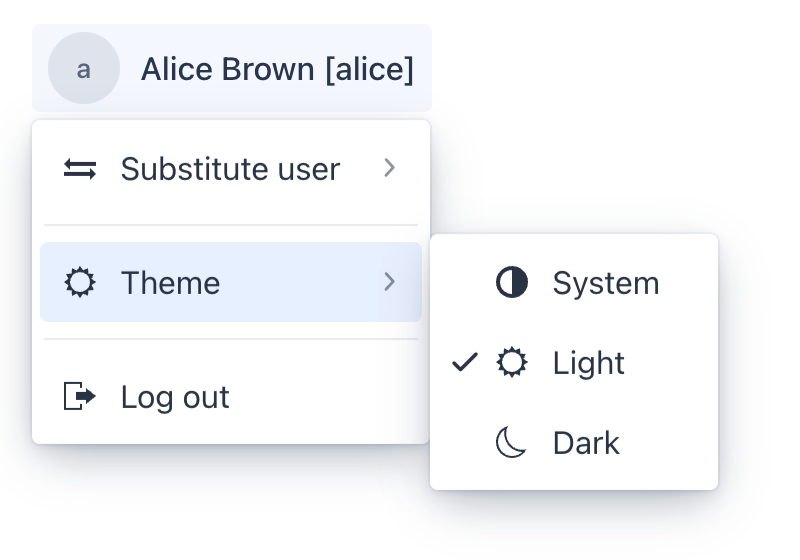
userMenu_themeSwitch requires importing a JavaScript file that applies a color scheme to the HTML document. The script reads the saved value from Web Storage. For the system option, it uses prefers-color-scheme and updates the color scheme when the operating system or browser setting changes.
This action changes the color scheme of the active theme. See Switching Color Scheme.
You need to import it into the main application class:
@JsModule("./src/theme/color-scheme-switching-support.js")
@SpringBootApplication
@StyleSheet(Lumo.UTILITY_STYLESHEET)
public class OnboardingApplication implements AppShellConfigurator {