Entity Data Task
Overview
An Entity Data Task (or shortly, data task) is a specific type of service task that represents operations with Jmix entities within a process. It can be convenient to use Entity Data Task for manipulations with data instead of regular service Task. You can load entities from the database, modify them, and create the new ones.
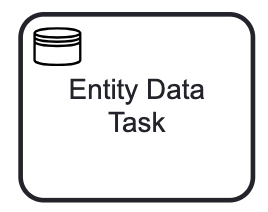
An entity data task is visualized as a rounded rectangle with a small database icon in the top-left corner.
| The Entity Data task is an extension specific to Jmix, which means that it is not supported by other BPMN modeling tools. When exporting the model, the Entity Data task will be replaced by a standard service task; however, its XML properties will remain unchanged. |
Depending on type, the entity data task XML representations differ. See examples in the corresponding task type descriptions.
Here is a newly created entity data task; by default, it is a Load entity task.
    <serviceTask id="entity-data-task" name="Entity Data Task"
        flowable:type="jmix-load-entities-jpql">
      <extensionElements />
    </serviceTask>
Properties
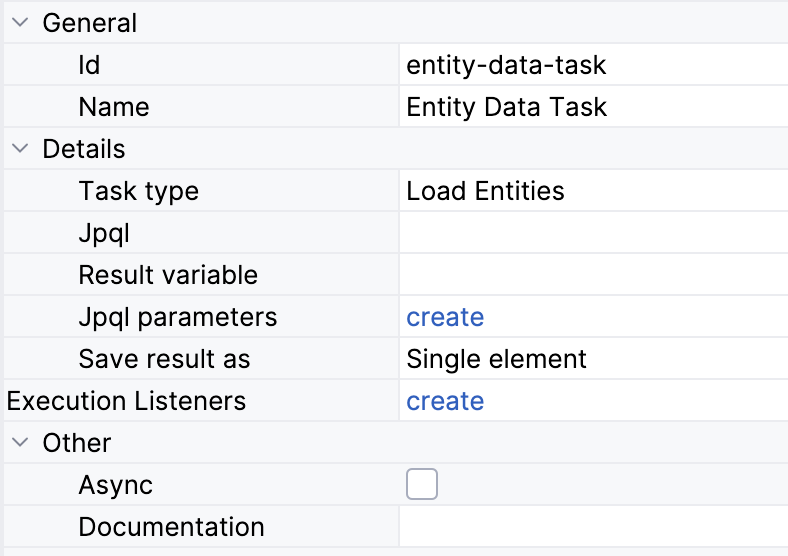
In the BPMN modeler, you can set the following properties of an entity data task:
Property |
Description |
Id |
The identifier of the element. It is generated automatically, but you can change it to a more meaningful one to make logs easier to understand. |
Name |
The name of the task, up to 255 characters. Tasks are typically named using a verb + object syntax, such as "Approve Order" or "Send Invoice". |
Task type |
The operation performed by the task. The fields below depend on the selected type. See Data Task Types. |
JPQL query, JPQL query parameters |
The query for the Load entities type. See Loading Entities. |
Entity name |
The entity to create or modify for the Create entity and Modify entity types. See Creating Entities and Modifying Entities. |
Process variable |
The process variable with the entity to modify for the Modify entity type. See Modifying Entities. |
Result variable |
The variable that stores the loaded entities or the created entity for the Load entities and Create entity types. See Loading Result. |
Save result as |
Single element or Collection for the Load entities type. See Loading Result. |
Entity attributes |
The attribute values of the modified or created entity. See Specifying Attributes. |
Execution listeners |
See Execution Listeners. |
Asynchronous execution |
Updated in Jmix 3.1 |
Documentation |
A description and additional information about the element. |
|
Entity data task doesn’t have multi-instance properties available. But you can use it within an embedded subprocess that is multi-instanced. See the Multi-Instance section. |
Data Task Types
The data task can perform one of the following actions:
| To delete an entity, use a service task and call a method doing deletion with the help of DataManager. |
Loading Entities
To load entities, you should select the Load Entities task type in the properties panel. Then, define JPQL query and, if needed, the result variable.
JPQL Query Parameters
You can set parameters of WHERE, ORDER BY clauses directly in the query body, for example:
select s from smpl_Order s where s.amount < 500
But often you need to define parameter values externally, i.e., at runtime. For this, you have to create named parameters:
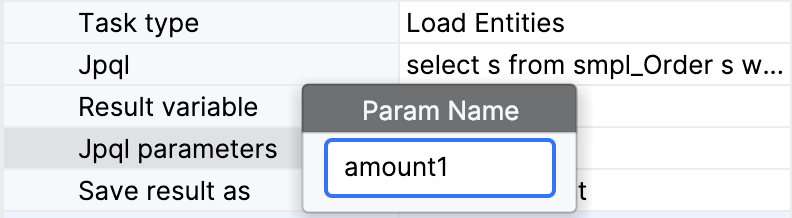
| The name of parameter you create must match the name of the parameter in the query, there is no automatic control. |
Parameter values can be passed into the process using two methods:
-
Process variable
-
Expression
Loading Result
To use the result of the loading operation further in the process, define a Result variable. You can enter the name of the existing process variable or enter an arbitrary name – then a new variable will be created.
If there is an existed process variable with such a name but of the other type, it will be overridden. The type of the result variable will be defined by the type of the query result.
As well, you can choose between two options in the combo box Save result as depending on the query result you expect: Single element or Collection.
XML Representation
In the XML, the loading entity data task is declared as a service task of the custom type flowable:type.
<serviceTask id="load-orders-task" name="Load orders"
flowable:type="jmix-load-entities-jpql"> (1)
<extensionElements>
<flowable:field name="jpql"> (2)
<flowable:string>select s from smpl_Order s where s.amount > :amount1</flowable:string>
</flowable:field>
<flowable:field name="resultVariable">
<flowable:string>order</flowable:string> (3)
</flowable:field>
<flowable:field name="saveLoadResultAs">
<flowable:string>collection</flowable:string> (4)
</flowable:field>
<flowable:field name="jpqlParameters"> (5)
<flowable:string>[{"name":"amount1","valueType":"processVariable","value":"targetAmount"}]</flowable:string>
</flowable:field>
</extensionElements>
</serviceTask>| 1 | — Declaring loading data task |
| 2 | — JPQL query body |
| 3 | — Result variable name |
| 4 | — Type of the result |
| 5 | — Query parameters in JSON format |
Modifying Entities
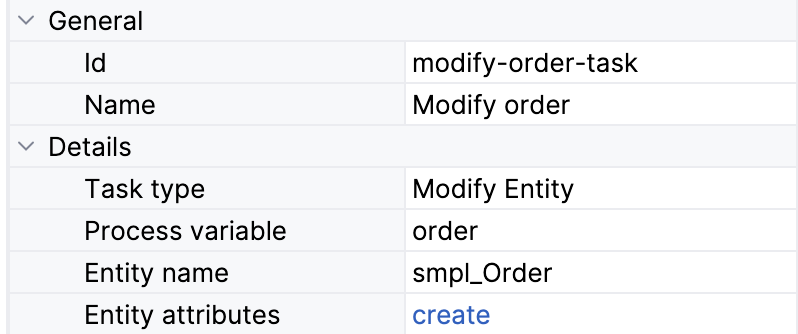
You can modify an entity stored in one of the existing process variables. Entity type will be detected automatically, and all non-system attributes will be available for changes.
Also, you can specify a process variable directly by typing its name. This is relevant when the variable is not presented in the list. For example, when it is created programmatically in the service task, or it is a result of loading entity by another data task.
Specifying Attributes
The value of the attribute can be specified in one of the following ways:
-
Direct value
-
Expression
-
Spring bean
The Spring bean option is disable by default. To enable this set the following application property:
jmix.bpm.data-task-spring-bean-entity-attribute-enabled=true
XML Representation
In the XML, the modifying entity data task is declared as a service task of the custom type flowable:type.
Attributes for the modified entity are passed via JSON.
<serviceTask id="modify-order-task" name="Modify order"
    flowable:type="jmix-modify-entity"> (1)
  <extensionElements>
    <flowable:field name="entityName">
      <flowable:string>smpl_Order</flowable:string> (2)
    </flowable:field>
    <flowable:field name="processVariable">
      <flowable:string>order</flowable:string> (3)
    </flowable:field>
    <flowable:field name="entityAttributes">
      <flowable:string>[{"name":"approvalDate","valueType":"directValue"}]</flowable:string> (4)
    </flowable:field>
  </extensionElements>
</serviceTask>| 1 | — Declaring task type |
| 2 | — Defining entity class |
| 3 | — Defining result variable |
| 4 | — Entity attributes in JSON format |
Creating Entities
To create an entity, select the entity name from the list. All non-system attributes will be available for specifying using BPMN Inspector.
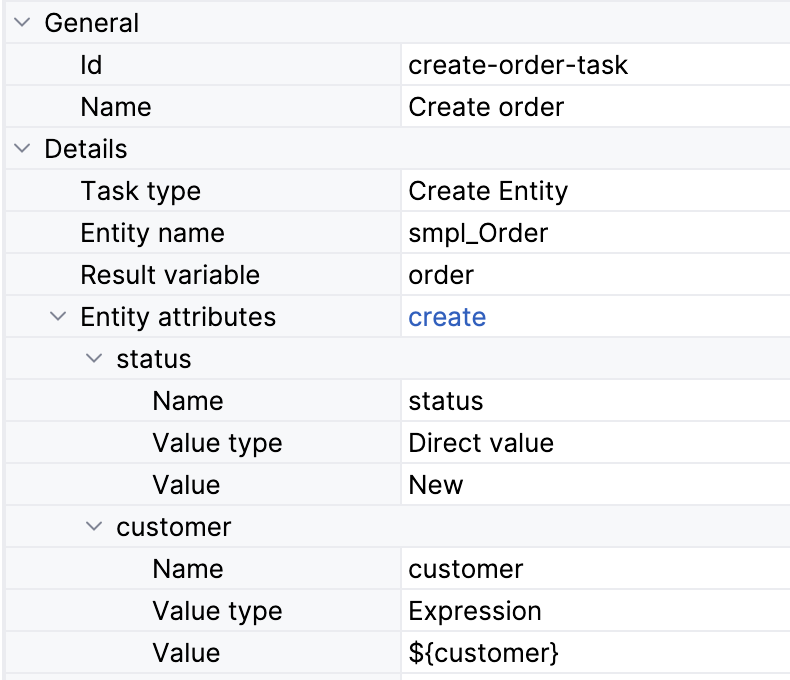
If you need to use this entity further in the process set the Result variable parameter.
XML Representation
In the XML, the creating entity data task is declared as a service task of the custom type flowable:type.
Attributes for the created entity are passed via JSON.
<serviceTask id="create-order-task" name="Create order"
    flowable:type="jmix-create-entity"> (1)
  <extensionElements>
    <flowable:field name="entityName">
      <flowable:string>smpl_Order</flowable:string> (2)
    </flowable:field>
    <flowable:field name="resultVariable">
      <flowable:string>order</flowable:string> (3)
    </flowable:field>
    <flowable:field name="entityAttributes">
      <flowable:string>[{"name":"status","valueType":"directValue","value":"New"},{"name":"customer","valueType":"expression","value":"${customer}"}]</flowable:string> (4)
    </flowable:field>
  </extensionElements>
</serviceTask>| 1 | — Declaring task type |
| 2 | — Defining entity class |
| 3 | — Defining result variable |
| 4 | — Entity attributes in JSON format |