supersetDashboard
|
This component requires the free Superset add-on. |
supersetDashboard embeds dashboards configured in Apache Superset into application views.
XML Element |
|
|---|---|
Java Class |
|
Basics
Declare the superset namespace in the view’s XML descriptor:
<view xmlns="http://jmix.io/schema/flowui/view"
      xmlns:superset="http://jmix.io/schema/superset/ui"
title="msg://dashboardView.title">|
Studio adds the namespace automatically when you add the component using the Add Component action in the top actions panel. See Component Palette. |
Then add supersetDashboard to the view and specify its id, size, and the embeddedId obtained from Apache Superset:
<superset:dashboard id="dashboard" width="100%" height="100%"
                    embeddedId="b6f53731-1da2-4768-b545-fff4fd2659c6"/>
Also, you can inject the component into the controller and interact with it programmatically:
@ViewComponent
private SupersetDashboard dashboard;

@Subscribe
public void onInit(final InitEvent event) {
    dashboard.setEmbeddedId("1aec5c74-f143-4051-818b-fcf9d77c8501");
}
Dataset Constraints
A dashboard in Superset can contain multiple charts that show data from different datasets. The SupersetDashboard component provides the ability to set constraints on these datasets. Constraints can be defined statically in the component’s XML element or calculated dynamically at runtime.
To provide a constraint, you need to define the ID of the dataset and write a native SQL condition that will be appended to the WHERE clause of the dataset query.
It is not obvious from the Superset UI where to find a dataset ID. You can get it from the datasource_id parameter of the URL displayed in the address bar when you open the dataset from the datasets list.
|
Static Dataset Constraints
Let’s consider usage of static dataset constraints in the Employees' salaries dashboard created in the Getting Started section. It uses the dataset that loads employees, departments and salaries. Suppose that you need to limit the salary lower bound, e.g. by 80,000.
Constraints are defined in the datasetConstraint nested elements of the dashboard component. They can be added using Studio Add action available for the component or manually in XML.
The required constraint definition will look as follows:
<superset:dashboard id="dashboard"
                    width="100%"
                    height="100%"
                    embeddedId="940f36ff-6c97-4a35-a4ff-4e4aeee3a9c7">
    <superset:datasetConstraints>
        <superset:datasetConstraint datasetId="24">
            <![CDATA[salary >= 80000]]>
        </superset:datasetConstraint>
    </superset:datasetConstraints>
</superset:dashboard>
salary here is the column of the dataset.
Dataset Constraints Provider
Dataset constraints can be calculated dynamically at runtime and passed to Superset when the dashboard is opened in the Jmix application. This allows you to filter out dashboard data based on the current user privileges or any other criteria.
A dataset constraint is represented by the DatasetConstraint Java class. You can provide a list of constraints to the SupersetDashboard component in the following ways:
-
Create a
datasetConstraintsProviderhandler in the view and return the list of constraints from it. -
Create a Spring bean implementing the
DatasetConstraintsProviderinterface and pass it to the component using thesetDatasetConstraintsProvider()method.
Let’s consider the following requirement: a department manager can see information about salaries only in their own department. A dataset constraint may take into account a row-level role assigned to the current user.
In the example below uses the first approach with datasetConstraintsProvider handler in the view, but the logic is extracted to a regular Spring bean:
package com.company.supersetsample.app;

import com.company.supersetsample.entity.Department;
import com.company.supersetsample.entity.User;
import com.company.supersetsample.security.DepartmentConstraintRole;
import io.jmix.core.security.CurrentAuthentication;
import io.jmix.security.SecurityProperties;
import io.jmix.supersetflowui.component.dataconstraint.DatasetConstraint;
import org.springframework.security.core.Authentication;
import org.springframework.stereotype.Component;

import java.util.List;

@Component
public class DepartmentDatasetConstraintProvider {

    private final CurrentAuthentication currentAuthentication;
    private final SecurityProperties securityProperties;

    public DepartmentDatasetConstraintProvider(CurrentAuthentication currentAuthentication,
                                               SecurityProperties securityProperties) {
        this.currentAuthentication = currentAuthentication;
        this.securityProperties = securityProperties;
    }

    public List<DatasetConstraint> getConstraints() {
        Department department = getDepartment();
        if (hasDepartmentConstraintRole() && department != null) {
            return List.of(new DatasetConstraint(24, "department_name = '" + department.getName() + "'"));
        }
        return List.of();
    }

    private boolean hasDepartmentConstraintRole() {
        Authentication authentication = currentAuthentication.getAuthentication();
        return authentication.getAuthorities().stream()
                .anyMatch(grantedAuthority ->
                        grantedAuthority.getAuthority().equals(
                                securityProperties.getDefaultRowLevelRolePrefix() + DepartmentConstraintRole.CODE));
    }

    private Department getDepartment() {
        User user = (User) currentAuthentication.getUser();
        return user.getDepartment();
    }
}
The bean is used in the datasetConstraintsProvider handler that can be generated from the Jmix UI inspector panel:
@Autowired
private DepartmentDatasetConstraintProvider departmentDatasetConstraintProvider;

@Install(to = "dashboard", subject = "datasetConstraintsProvider")
private List<DatasetConstraint> dashboardDatasetConstraintsProvider() {
    return departmentDatasetConstraintProvider.getConstraints();
}
Attributes
The following attributes are specific to dashboard:
| Name | Description | Default | ||
|---|---|---|---|---|
Sets whether chart controls are visible. 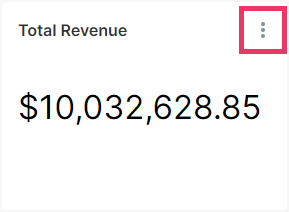
|
|
|||
Sets the embedded dashboard ID from Superset. See Create Dashboard. The ID is required for fetching a guest token and loading the dashboard. Changing it reloads the dashboard; without it, the component shows a stub image.
|
— |
|||
Sets whether the filters bar is expanded. |
|
|||
Sets whether the title bar is visible. 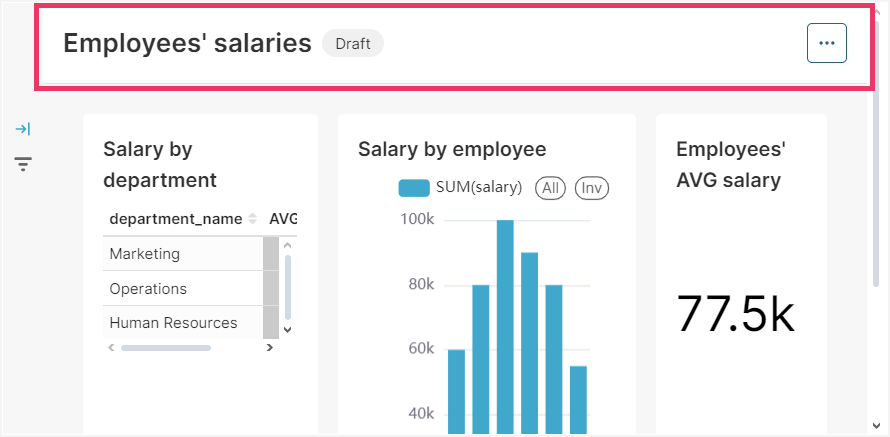
|
|
The following shared attributes are supported by dashboard:
Handlers
The following handler is specific to dashboard:
|
To generate a handler stub in Jmix Studio, use the Handlers tab of the Jmix UI inspector panel or the Generate Handler action available in the top panel of the view class and through the Code → Generate menu (Alt+Insert / Cmd+N). |
| Name | Description |
|---|---|
Provides dataset constraints dynamically when the dashboard requests a guest token. See Dataset Constraints Provider. |
The following shared handlers are supported by dashboard:
Elements
A dashboard can include the datasetConstraints element containing zero or more datasetConstraint elements. Each datasetConstraint requires a datasetId attribute and contains the SQL condition as its text content. See Static Dataset Constraints.