Dynamic Attributes
Dynamic attributes are extra entity properties that expand the data model without altering the database schema and restarting the application. This feature enables the definition of new entity attributes during deployment or while the application is running in production.
Dynamic attributes are stored in the main data store in an Entity-Attribute-Value structure. The framework automatically loads and saves the values of dynamic attributes along with entity instances.
Users can view and edit dynamic attributes in the data grids and forms of the existing application views.
Jmix provides UI for setting up dynamic attributes. Administrators can define names, data types, validation criteria, and determine which UI views and visual components display dynamic attributes.
Installation
For automatic installation through Jmix Marketplace, follow instructions in the Add-ons section.
For manual installation, add the following dependencies to your build.gradle:
implementation 'io.jmix.dynattr:jmix-dynattr-starter'
implementation 'io.jmix.dynattr:jmix-dynattr-flowui-starter'|
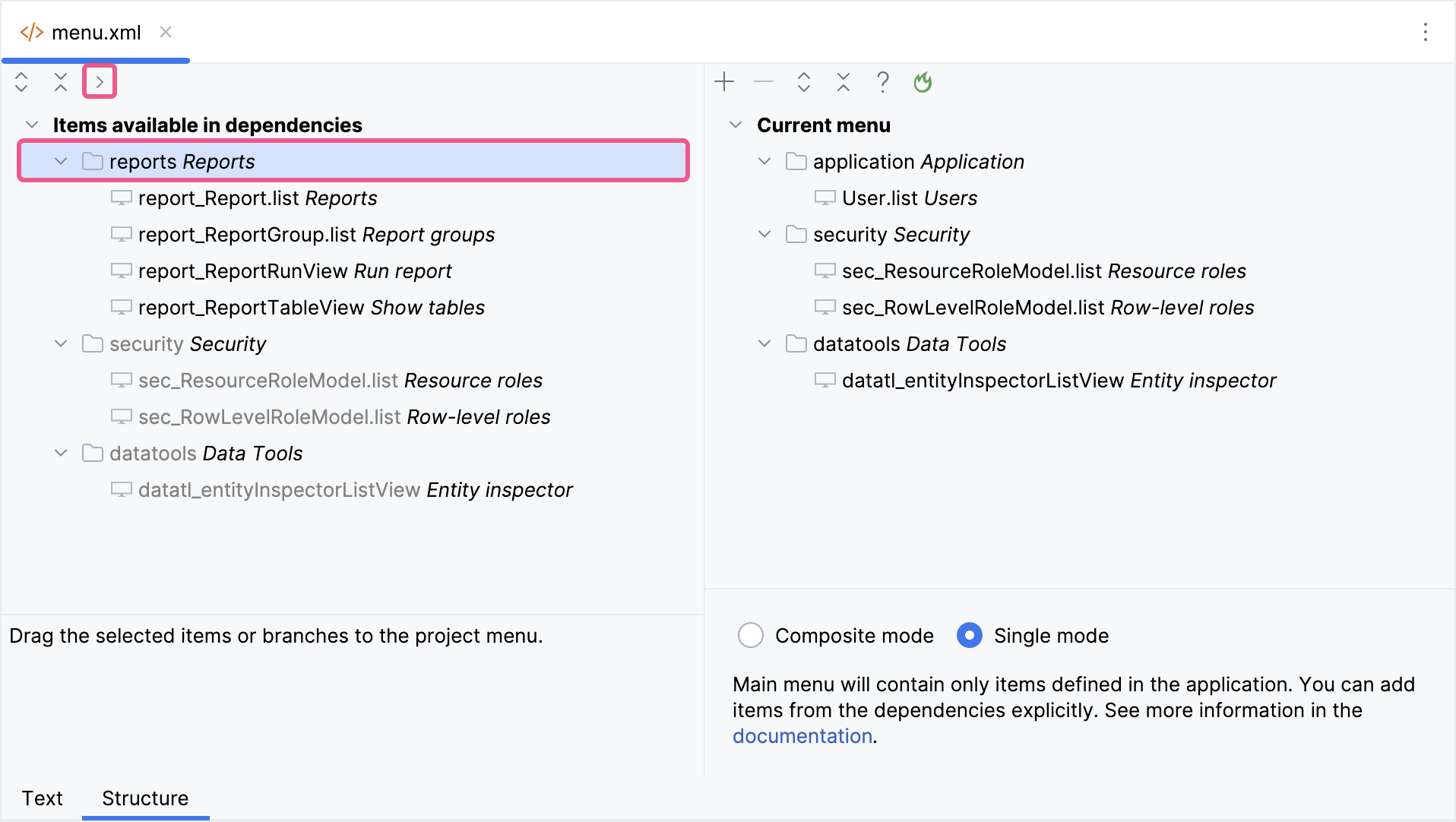
Important Note for Single Menu Mode Applications If your application uses Single menu mode, you should manually add menu items after installing an add-on.
This step is required because applications in Single menu mode do not automatically merge add-on menus with the existing structure. |