AI Assistant
The Jmix AI Assistant is available for use in your browser as well as in Jmix Studio.
To get started, click the  icon in the IDE’s right-hand toolbar. Then, simply ask your question in natural language and attach code if needed.
How It Works?
The assistant relies on OpenAI models and makes use of Retrieval Augmented Generation (RAG). This technique improves the model’s knowledge by including additional resources such as official documentation and UI samples.
The backend service source code is available on GitHub. It is built with Spring AI and Jmix itself. The service provides a chat API and admin UI, making it easy to experiment with and use for your own projects.
Code Attachments
To provide more context to your question, you can do the following:
-
Attach code selection.
-
Attach a file or multiple files.
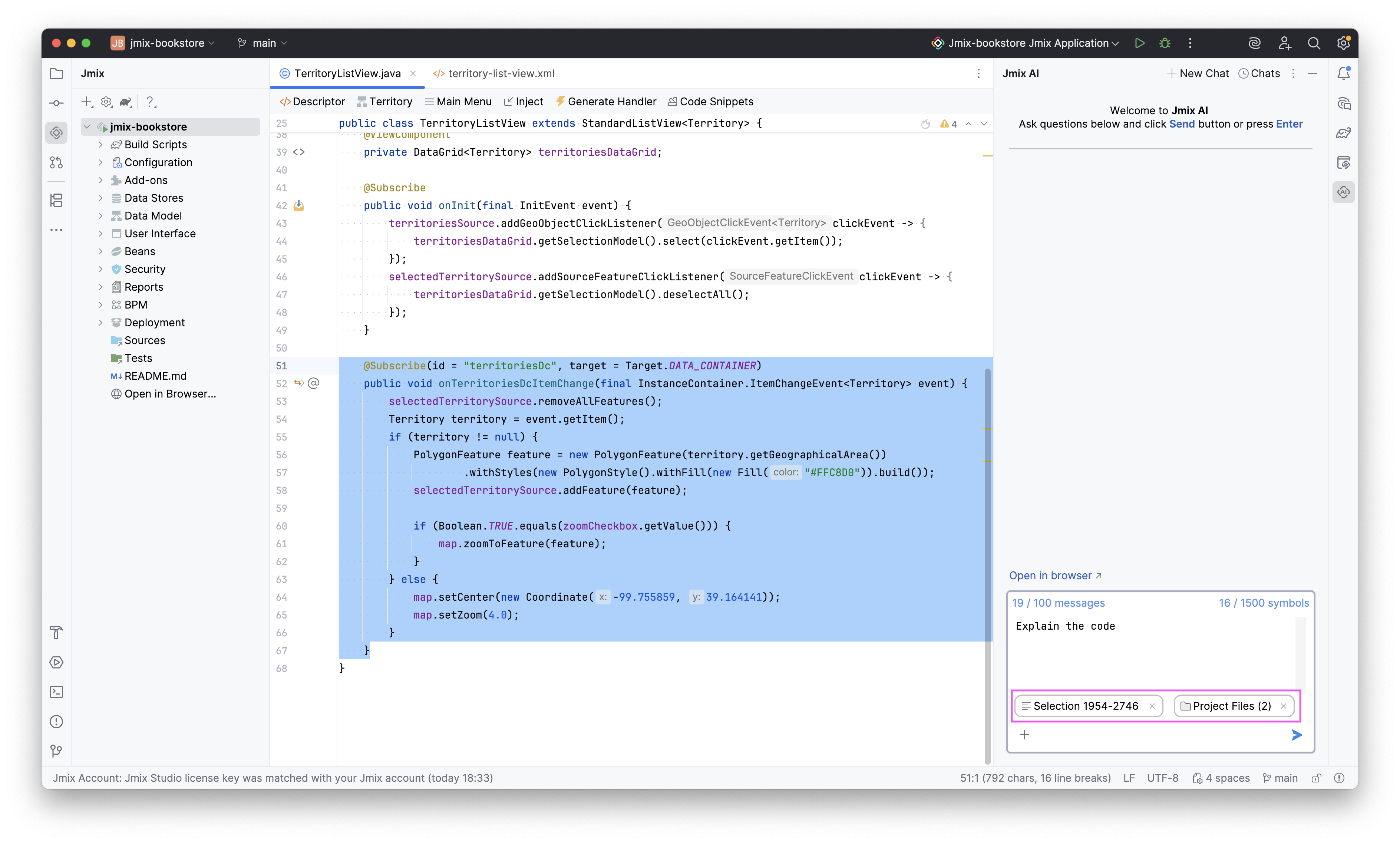
Attachments will show up below your question and will be sent with it. This will assist in providing the most accurate answer.
Disabling AI Assistant
You can disable AI Assistant at any time. Just follow these steps:
-
Open Settings.
-
Select Languages & Frameworks → Jmix.
-
Uncheck the Enable Jmix AI checkbox.
-
Click OK.
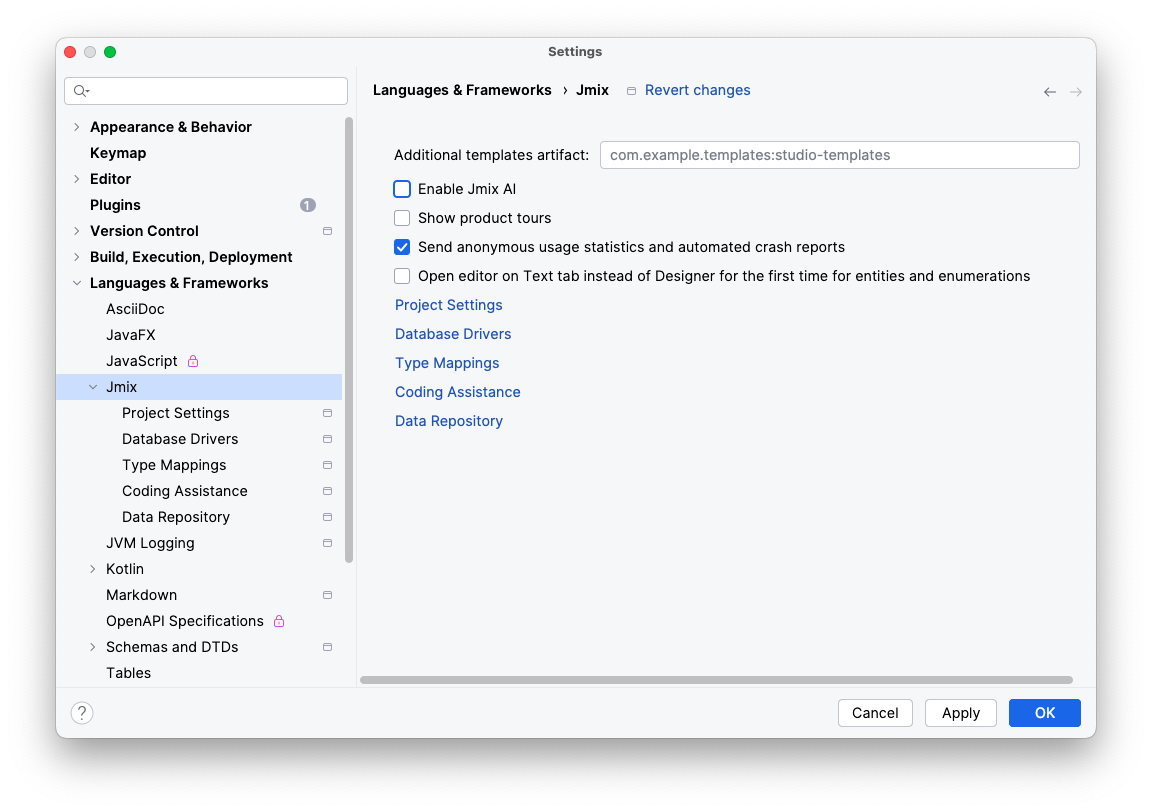
You can enable it again using the same process.
| AI Assistant will never access any of your code unless you send it along with your question. |
Limits
The assistant is available for all registered users. The current limit is 100 requests per 30 days, regardless of license type. If you need more requests, please contact us.
Feedback
We are committed to making this tool better, and your feedback helps. Use the  buttons beneath the answers to let us know what you think.
| Feedback is anonymized to ensure your privacy. |
Our team reviews all feedback to identify documentation gaps and ways to improve Jmix.