Modeler
The Modeler view provides a canvas for creating and editing BPMN process diagrams at runtime.
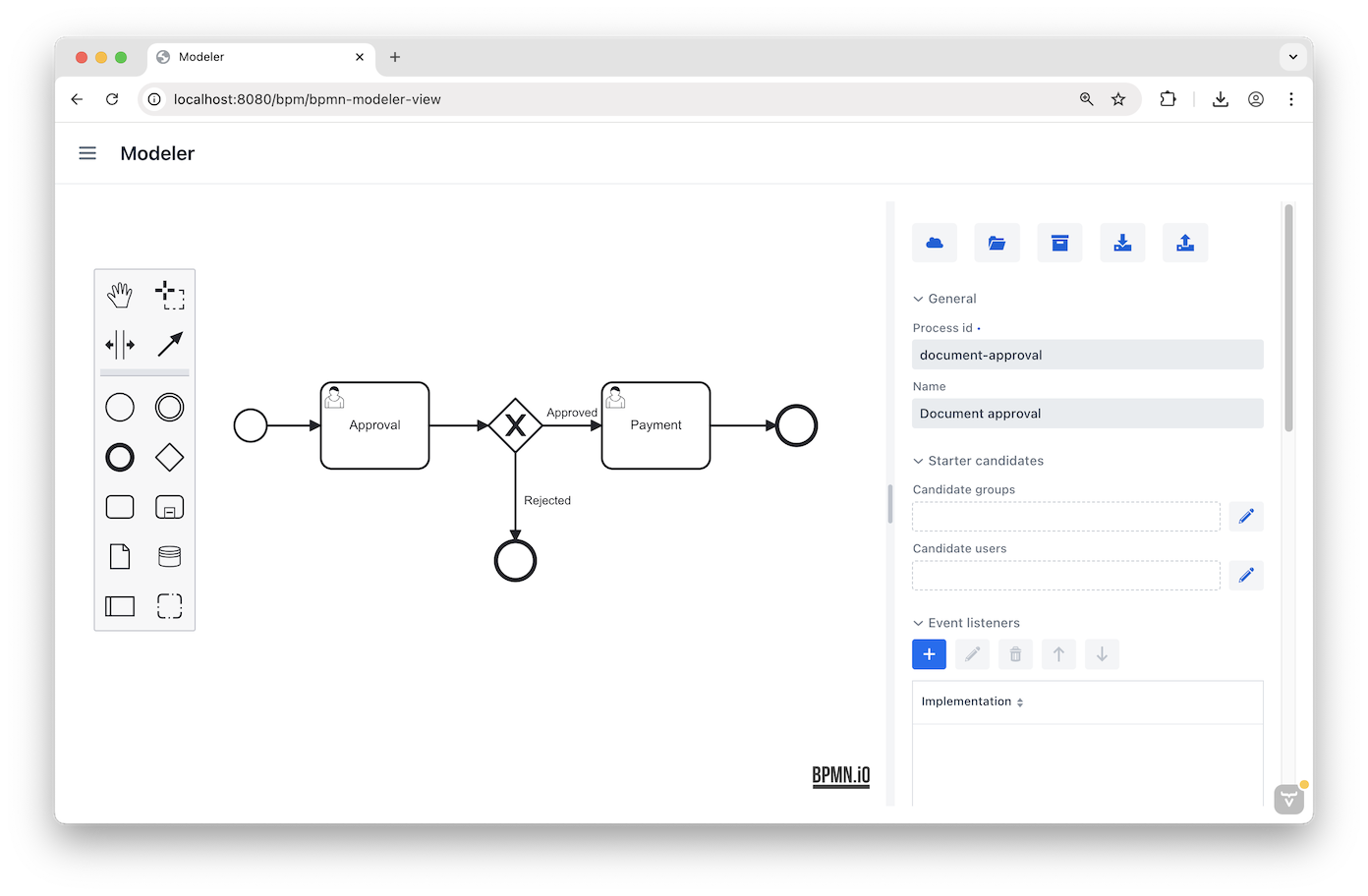
Modeler Features
The following actions are available:
-
Drag-and-drop – Drag BPMN elements from the palette at the left to add them to the canvas.
-
View properties – Click the canvas to display process properties or click an element to display its properties; both are editable in the right panel.
-
Deploy process – Click
 to deploy the current process. Redeploying creates a newer version of the corresponding process definition.
 -
Open process draft – Click
 to open the Process Drafts lookup view to browse and open saved drafts.
 -
Save draft – Click
 to save process as draft.
 -
Export – Export the current process as a
.bpmn20.xmlfile. -
Import – Import a process from a
.bpmnor.bpmn20.xmlfile.Exporting and importing models from other toolsBPMN models created in third-party tools may not be fully compatible with Jmix BPM. Similarly, models created in Jmix BPM may have limitations in third-party tools; Jmix-specific elements (for example, Entity Data Task and Email Sending Task), will appear as standard Service Task in other tools but retain their properties.