badge
Since Jmix 3.1
badge displays a small piece of information, such as a status, a count or a label.
XML Element |
|
|---|---|
Java Class |
|
Basics
The text attribute sets the label of the badge. Keep it short: one or two words. The success, warning and error theme variants set the color of the badge. Without a variant, the badge uses the accent color of the theme.
<badge id="pendingBadge" text="Pending"/>
<badge id="confirmedBadge" text="Confirmed" themeNames="success"/>
<badge id="warningBadge" text="Warning" themeNames="warning"/>
<badge id="deniedBadge" text="Denied" themeNames="error"/>
Badges look like buttons, but they are not interactive.
Data-aware badge
A badge can show the value of an entity attribute. Bind it to a data container using the dataContainer and property attributes:
<data>
    <instance id="customerDc"
              class="io.jmix.uisamples.entity.Customer"
              fetchPlan="_local"/>
</data>
<layout>
    <hbox alignItems="CENTER">
        <badge id="nameBadge" icon="USER" dataContainer="customerDc" property="name"/>
        <badge id="gradeBadge" themeNames="success" dataContainer="customerDc" property="grade"/>
    </hbox>
</layout>
The binding is read-only. The badge shows the attribute value as text and updates it when the value changes. The value is formatted according to its datatype. For example, an enumeration value is shown as its localized caption, and a null value is shown as an empty badge.
If the current user has no permission to view the attribute, the badge is hidden.
Icons
A badge can show an icon before its text. Set the icon using the icon attribute or the nested icon element:
<badge id="pendingBadge" text="Pending" icon="CLOCK"/>
<badge id="confirmedBadge" text="Confirmed" icon="CHECK" themeNames="success"/>
<badge id="warningBadge" text="Warning" icon="WARNING" themeNames="warning"/>
<badge id="deniedBadge" text="Denied" themeNames="error">
    <icon>
        <icon icon="EXCLAMATION_CIRCLE"/>
    </icon>
</badge>
The icon-only variant shows only the icon. Set the text anyway. It is hidden on the screen, but screen readers announce it.
<badge id="confirmedIconBadge" text="Confirmed" icon="CHECK" themeNames="success icon-only"/>
<badge id="deniedIconBadge" text="Denied" icon="CLOSE" themeNames="error icon-only"/>
Number
The number attribute shows a number in the badge, for example, the number of unread messages. If the badge has both text and a number, it shows both.
The number-only variant shows only the number. As with icon-only, set the text for screen readers:
<badge id="numberOnlyBadge" text="unread messages" number="5" themeNames="number-only"/>In the view controller, use the setNumber() method to change the number and setNumber(null) to remove it.
Screen readers read only the content of the badge. A number alone can confuse users, so set a text that says what is counted. If the number changes while the view is open, set ariaRole to status, and screen readers will announce the new value.
Theme Variants
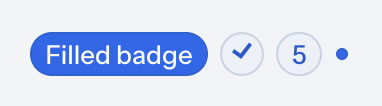
Use the themeNames attribute to apply variants. You can combine several variants, for example, themeNames="success filled". In the view controller, use the addThemeVariants() method with the BadgeVariant enumeration.
| Variant | Description | Supported By |
|---|---|---|
|
Applies a semantic color. |
Aura, Lumo |
|
Applies a neutral high-contrast color. |
Lumo |
|
Uses a solid background instead of a tinted one to draw more attention. Can be combined with all other variants. |
Aura, Lumo |
|
Makes the badge smaller. |
Aura, Lumo |
|
Shows only the icon. See Icons. |
Aura, Lumo |
|
Shows only the number. See Number. |
Aura, Lumo |
|
Shows the badge as a small dot and hides all its content. |
Aura, Lumo |
Attributes
Common attributes serve the same purpose for all components.
The following attributes are specific to badge:
| Name | Description | Default |
|---|---|---|
Sets the ARIA role of the badge, which screen readers use. For example, |
— |
|
Sets the icon displayed before the text. See Icons. |
— |
|
Sets the number displayed in the badge. See Number. |
— |
|
Applies one or more variants listed in Theme Variants. |
— |
The following shared attributes are supported by badge:
id - alignSelf - classNames - colspan - css - dataContainer - height - justifySelf - maxHeight - maxWidth - minHeight - minWidth - property - text - visible - whiteSpace - width
Elements
A badge can include the icon nested element. See Icons.