Decision Tables
The Decision Tables view displays a list of deployed decision tables.
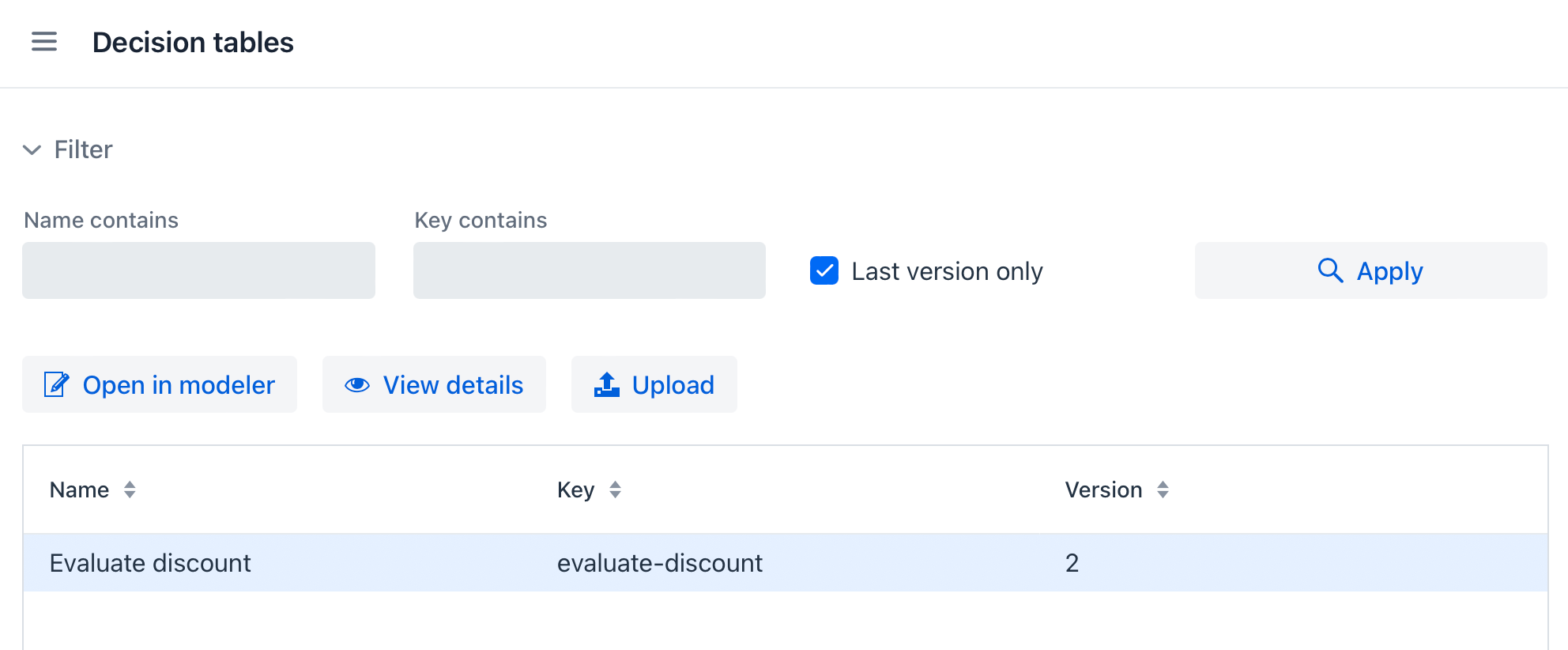
Decision Table List
The following actions are available:
-
Filter – Filter decision tables by name or key and choose whether to display only the latest version of each table.
-
Open in modeler – Load the selected table in the Decision Table Modeler for editing.
-
View details – Open the Decision Editor for the selected table.
-
Upload – Deploy a decision table from an XML file.
| The list is empty by default. To load all decision tables, click Apply without specifying filter conditions. |
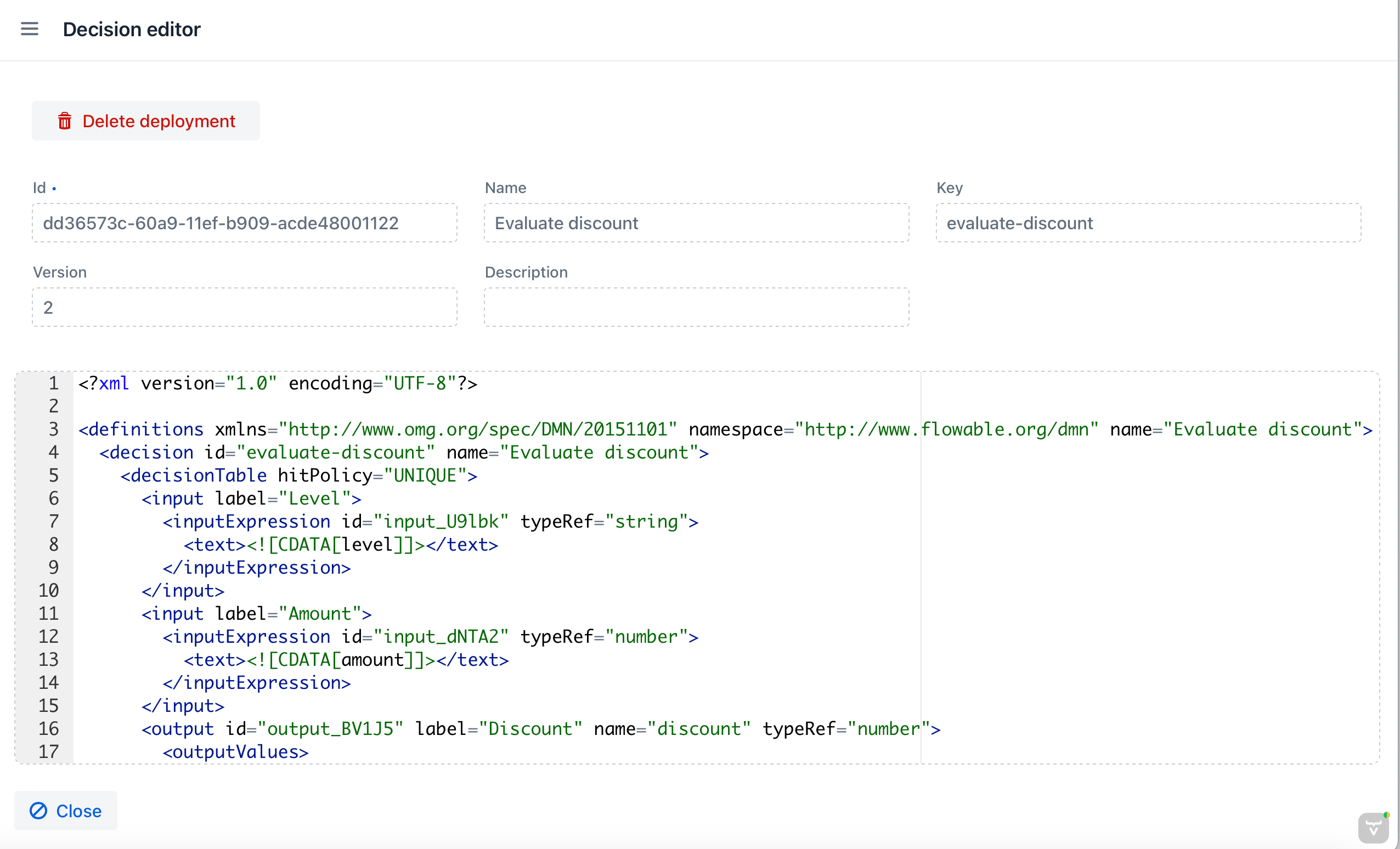
Decision Editor
The Decision Editor view displays the selected table’s properties and XML definition. Click Delete deployment to delete the deployment containing this version of the table.
Was this page helpful?
Thank you for your feedback