searchField
|
This component requires the free Search add-on. |
searchField provides a text input and controls for executing and configuring full-text searches.
XML Element |
|
|---|---|
Java Class |
|
Basics
Declare the search namespace in the view’s XML descriptor:
<view xmlns="http://jmix.io/schema/flowui/view"
      xmlns:search="http://jmix.io/schema/search/ui"
title="msg://searchView.title">|
Studio adds the namespace automatically when you add the component using the Add Component action in the top actions panel. See Component Palette. |
Then add searchField to the view:
<search:searchField id="searchField"/>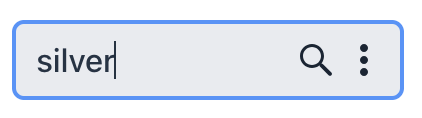
Runtime Configuration
The searchField includes a settings button (vertical ellipsis ⋮) that opens a configuration dialog, allowing users to dynamically adjust search parameters without modifying the XML.
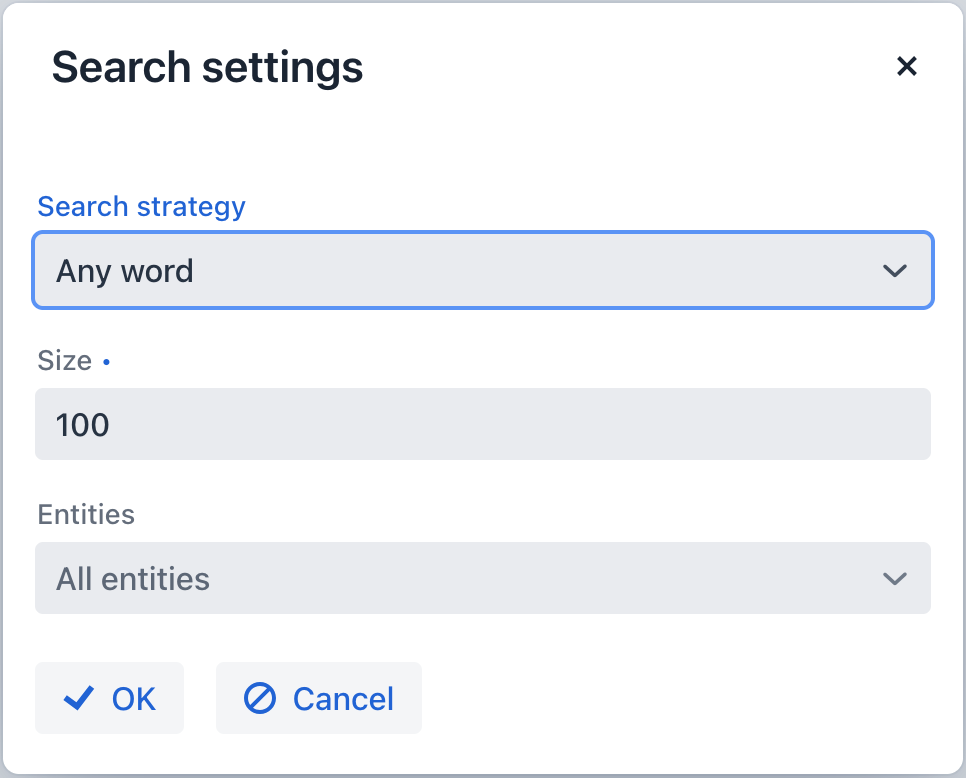
Users can configure the following options at runtime:
| Configuration | Corresponding Attribute | Description |
|---|---|---|
Search Strategy |
Determines how the search term is processed |
|
Size |
Limits the number of search results |
|
Entities |
Specifies which entities to search (multiple entities can be selected) |
Search Results View
By default, the searchField opens the built-in SearchResultsView. This view handles the search engine querying process and displays results either in the current navigation view or in a dialog, depending on the openMode attribute.
To modify this behavior, configure a SearchCompletedHandler. This can be done either declaratively using the @Install annotation or programmatically using setSearchCompletedHandler().
Example with @Install:
@Autowired
private DialogWindows dialogWindows;

@ViewComponent
private SearchField searchField;

@Install(to = "searchField", subject = "searchCompletedHandler")
private void searchFieldSearchCompletedHandler(
        final SearchField.SearchCompletedEvent event) {
    DialogWindow<SearchResultsView> searchResultsDialog =
            dialogWindows.view(UiComponentUtils.getView(this),
                            SearchResultsView.class)
                    .build();
    SearchResultsView view = searchResultsDialog.getView();
    view.initView(new SearchFieldContext(searchField));
    searchResultsDialog.open();
}
Attributes
The following attributes are specific to searchField:
| Name | Description | Default |
|---|---|---|
Specifies which entities to search. Multiple entities can be listed as a comma-separated sequence. |
— |
|
Specifies how the search results view is opened when a search is executed. |
|
|
Shows or hides the search button. |
|
|
Limits the number of search results displayed on a single page of search results. |
Inherited from the application property jmix.search.search-result-page-size. |
|
Determines the search strategy applied. See Search Strategies. |
||
Shows or hides the settings button ( |
|
The following shared attributes are supported by searchField:
id - alignSelf - ariaLabel - ariaLabelledBy - autofocus - classNames - colspan - css - enabled - focusShortcut - height - helperText - justifySelf - label - maxHeight - maxWidth - minHeight - minWidth - placeholder - tabIndex - themeNames - title - value - valueChangeMode - valueChangeTimeout - visible - width
Handlers
The following handler is specific to searchField:
|
To generate a handler stub in Jmix Studio, use the Handlers tab of the Jmix UI inspector panel or the Generate Handler action available in the top panel of the view class and through the Code → Generate menu (Alt+Insert / Cmd+N). |
| Name | Description |
|---|---|
Handles the completed search and receives a |
The following shared handlers are supported by searchField: