Events
In BPMN, the term 'event' has two meanings. It refers to both a visual element, typically a circle, and the actual occurrence. The connection between the two is achieved through Event Subscriptions.
Event Element Types
Events in a process are classified by their position: start, intermediate, or end.
Events are categorized by their activating triggers, such as message, timer, or error.
Events can be either catching or throwing. A catching event waits for something to happen. A throwing event triggers itself instead of reacting to a trigger. Every start event is a catching event, and every end event is a throwing event.
Most events can be attached tasks, sub-process, or call activities. They are known as boundary events. While the activity is running, the event is listening for a designated type of trigger. Boundary events are always catching.
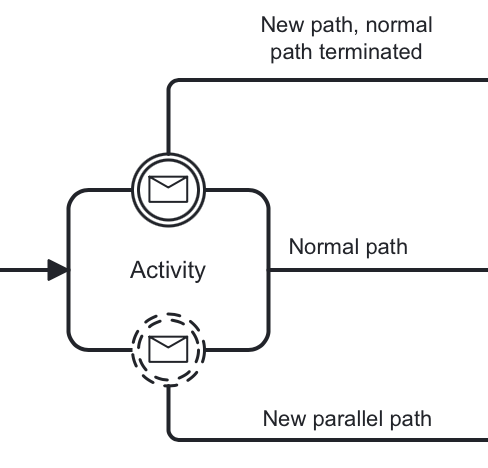
Events can be interrupting and non-interrupting. Interrupting events stop the current process or activity and redirect it to an alternative path, while non-interrupting events let the process continue while triggering events alongside it.
This classification is summarized below:
| Name | Start | Intermediate Catching | Intermediate Throwing | Boundary | End |
|---|---|---|---|---|---|
|
|
|
|||
|
|
|
|||
|
|
|
|||
|
|
|
|||
|
|
|
|
||
|
|||||
|
|
|
|||
|
|
|
|
||
|

















| Not all BPMN 2.0 events are supported in Jmix BPM. See the Workarounds for Unsupported Events section for methods to achieve similar functionality. |
Event Subscriptions
Event subscriptions is a mechanism that connect events as process elements to their specific occurrences. Essentially, when a process has an event subscription, it means that it is set up to react when such an event occurs.
Event subscriptions can be created either during deployment or at runtime, depending on the event type:
-
Start events – an event-based start event (message, timer, error, compensation, signal) creates an event subscription upon deployment of the process definition. When the corresponding event occurs, a new process instance starts.
-
Intermediate events / boundary events – when the process execution arrives at one of these catching events, it pauses and creates a subscription. When the corresponding event occurs, (e.g., a message is received, or a timer expires), the process engine checks the list of active subscriptions for a matching entry. The execution resumes once the match is found.
To help identify the correct process instance to initiate or the execution to resume, event subscriptions are configured with correlation parameters. All subscriptions and their parameters are stored in the ACT_RU_EVENT_SUBSCR database table.
Event Subscriptions API
Creating Event Subscriptions
You can create event subscriptions programmatically. For example, you can start a process instance by sending a message:
// Start a process instance with a message
ProcessInstance processInstance = runtimeService.startProcessInstanceByMessage("orderPlaced", processVariables);
Querying Event Subscriptions
You can query for existing event subscriptions to see which processes are waiting for specific events. For example:
List<EventSubscription> messageSubscriptions = runtimeService.createEventSubscriptionQuery()
    .eventType("message")
    .list();
Getting Event Subscriptions
You can get a list of subscriptions using RuntimeService API.
For example, signal subscriptions:
// Query for all signal event subscriptions
List<EventSubscription> signalSubscriptions = runtimeService.createEventSubscriptionQuery()
    .eventType("signal")
    .list();
For other types of events, use "message", "error", and "compensate" respectively.
For timers, use ManagementService:
List<Job> timerJobs = managementService.createTimerJobQuery().list();Triggering Event Subscriptions
You can trigger event subscription when the corresponding event occurs. For example, to trigger a message event:
runtimeService.messageEventReceived("orderPlaced", executionId, processVariables);Deleting Event Subscriptions
You can delete event subscriptions if they are no longer necessary. For example, to delete a specific event subscription:
runtimeService.createEventSubscriptionQuery()
    .eventType("message")
    .processInstanceId(processInstanceId)
    .singleResult();
Handling Events with Listeners
See the Event Listeners section.
None Events
None events are unspecified events, also called "blank" events.
None Start Event
A none start event technically means that the trigger for starting the process instance is unspecified.
A none start event is a circle with no inner icon. In other words, with no trigger type.
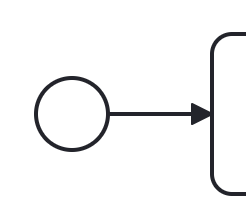
In the BPMN modeler, you can set the following properties of a none start event:
Property |
Description |
Id |
The identifier of the element. It is generated automatically, but you can change it to a more meaningful one to make logs easier to understand. |
Name |
The name of the element. |
Form |
The user interface shown when the process is started manually. See Process Forms. Not available for a start event inside a subprocess. |
Process variables |
Parameters used for starting the process via API. Available when no form is set. |
Execution listeners |
See Execution Listeners. |
Asynchronous execution |
Since Jmix 3.1 |
Documentation |
A description and additional information about the element. |
The XML representation of a none start event is the normal start event declaration without any sub-element (other start event types all have a sub-element declaring the type).
<startEvent id="startEvent1" name="Start"> (1)
  <extensionElements>
    <jmix:processVariables>
      <jmix:processVariable name="invoiceId" type="string" /> (2)
    </jmix:processVariables>
    <jmix:formData type="no-form" /> (3)
  </extensionElements>
  <outgoing>Flow_0h77bcd</outgoing>
</startEvent>| 1 | — Start event definition. |
| 2 | — Process variable. |
| 3 | — Here may be a form definition. |
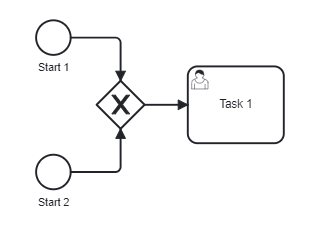
Although BPMN allows multiple start events, the process technically may have only one none start event. Otherwise, it will cause error at deployment. Don’t use more than one none start event like in the picture below:
However, it is possible to use multiple start events of other types:
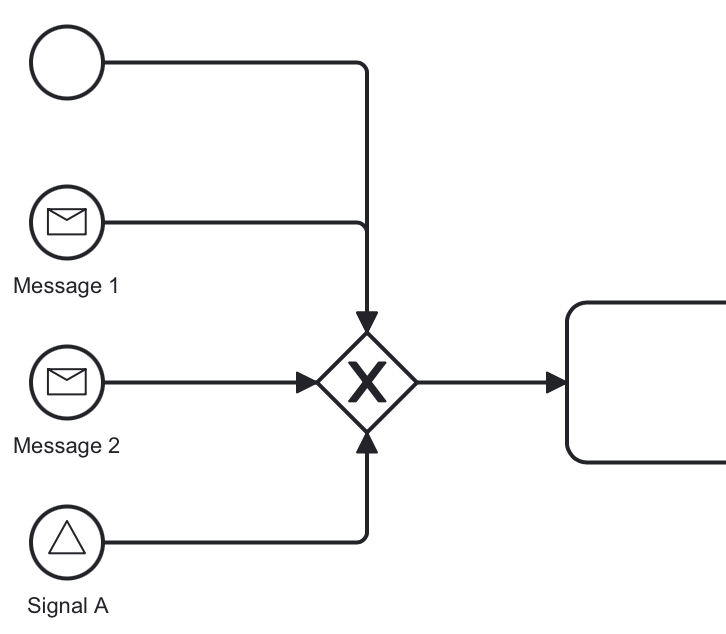
You can use several message (or signal) start events provided the messages (or signals) differ.
Event subprocesses can have interrupting or non-interrupting start events.
-
Interrupting — when event subprocess ends, the main process to be terminated.
-
Non-interrupting — event subprocess executes in parallel and comes to its end, the main process continues.
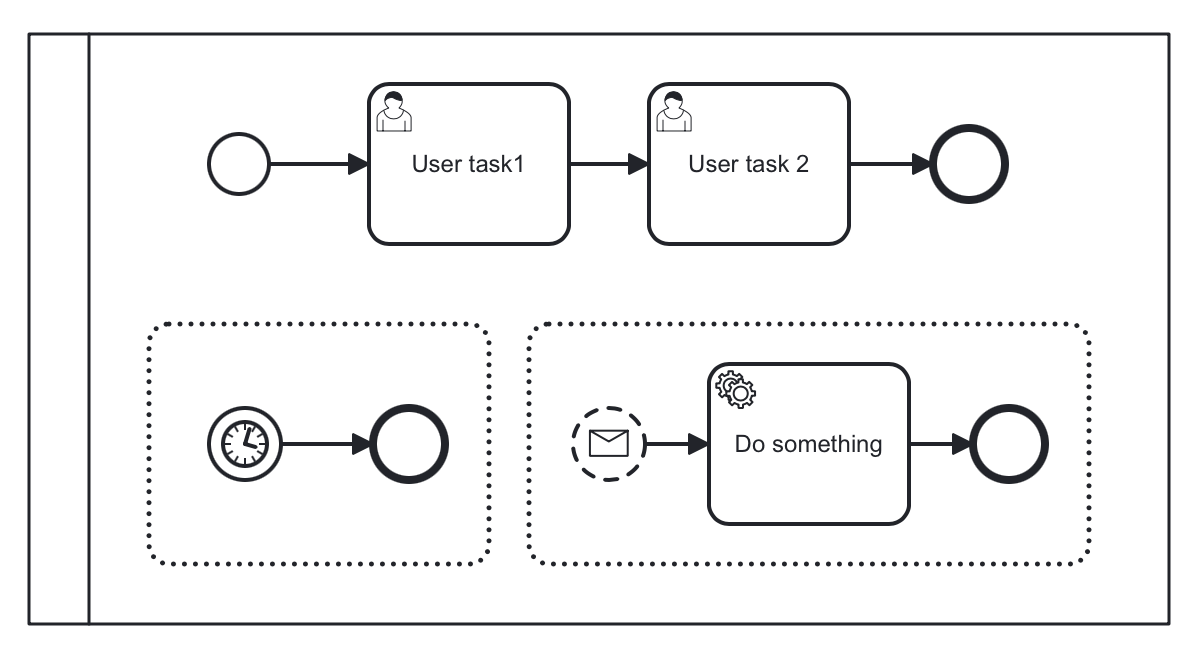
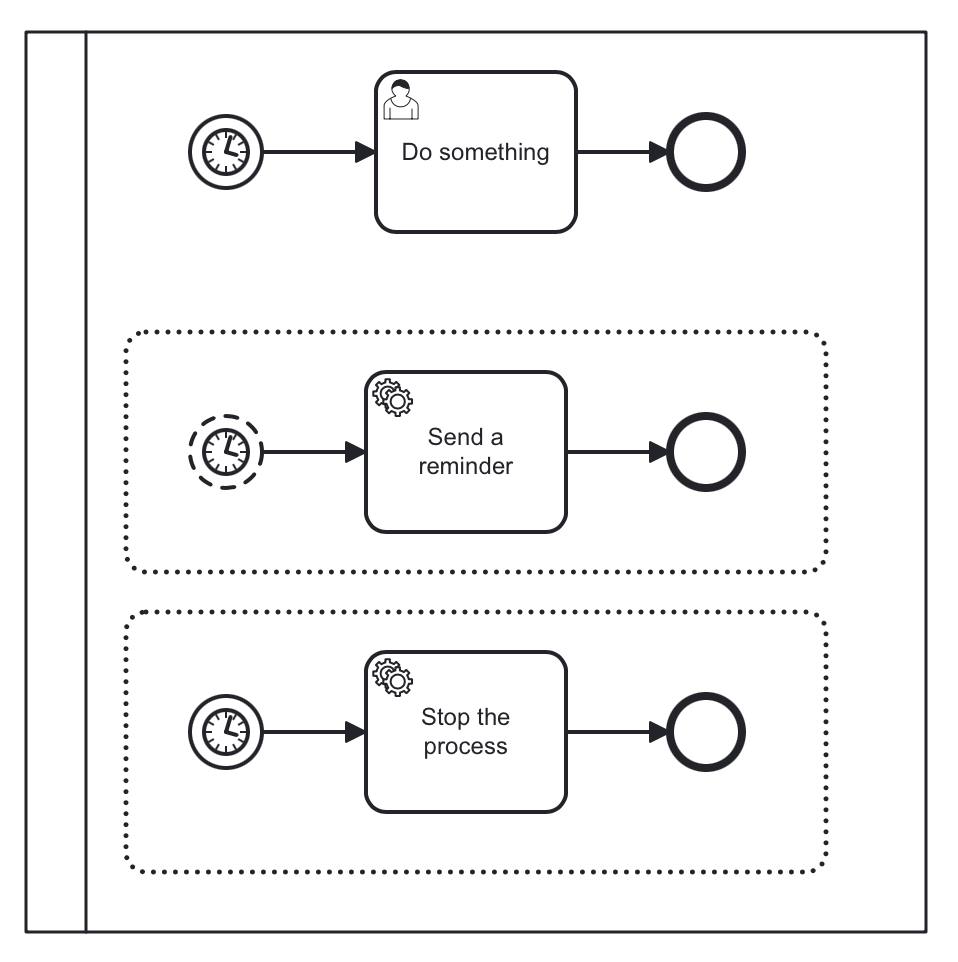
In the picture above, the first subprocess interrupts the main process when time is over. The second subprocess executes a service task and ends not affecting the main process.
Triggering None Start Event via API
The none start event is used when the process instance is started through the API by calling one of the startProcessInstanceByXXX methods.
For example,
ProcessInstance processInstance = runtimeService
.startProcessInstanceByKey("process-id");|
Flowable API uses the term 'process definition key' that is equivalent to 'process id' in Jmix Studio. |
See details in the Flowable API section.
Intermediate None Event
Intermediate none events can be used to indicate some state achieved in the process. The engine itself doesn’t do anything in the event, it just passes through it.
An intermediate none event is visualized as a circle with a double outline and no inner icon (in other words, no trigger type).

In the BPMN modeler, you can set only the following properties of an intermediate none event:
Property |
Description |
Id |
The identifier of the element. It is generated automatically, but you can change it to a more meaningful one to make logs easier to understand. |
Name |
The name of the element. |
The XML representation of an intermediate none event is the event declaration by intermediateThrowEvent without any sub-element.
<intermediateThrowEvent id="IntermediateEvent" />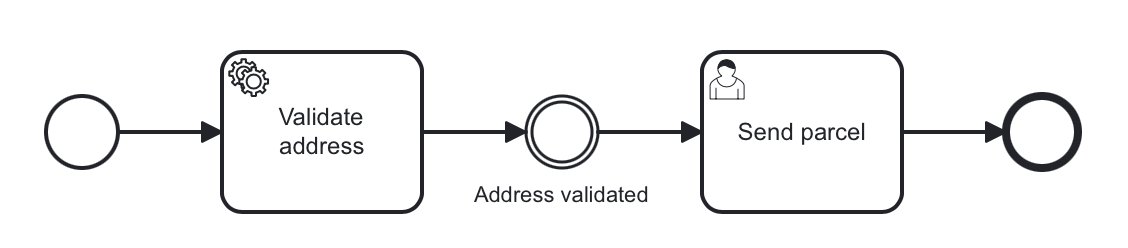
None End Event
A none end event is a type of end event that signifies the completion of a process without any specific outcome or result. It does not trigger any subsequent activities or flows in the process.
None end event is visualized as a circle with a thick outline and no inner icon.
In the BPMN modeler, you can set the following properties of a none end event:
Property |
Description |
Id |
The identifier of the element. It is generated automatically, but you can change it to a more meaningful one to make logs easier to understand. |
Name |
The name of the element. |
Asynchronous execution |
|
Documentation |
A description and additional information about the element. |
    <endEvent id="end-event" name="End">
      <incoming>Flow_0qwib28</incoming>
</endEvent>Formally, end event isn’t mandatory. The process ends when there are no activities to execute. But it is a good practice to finish each path of the process by the end event.
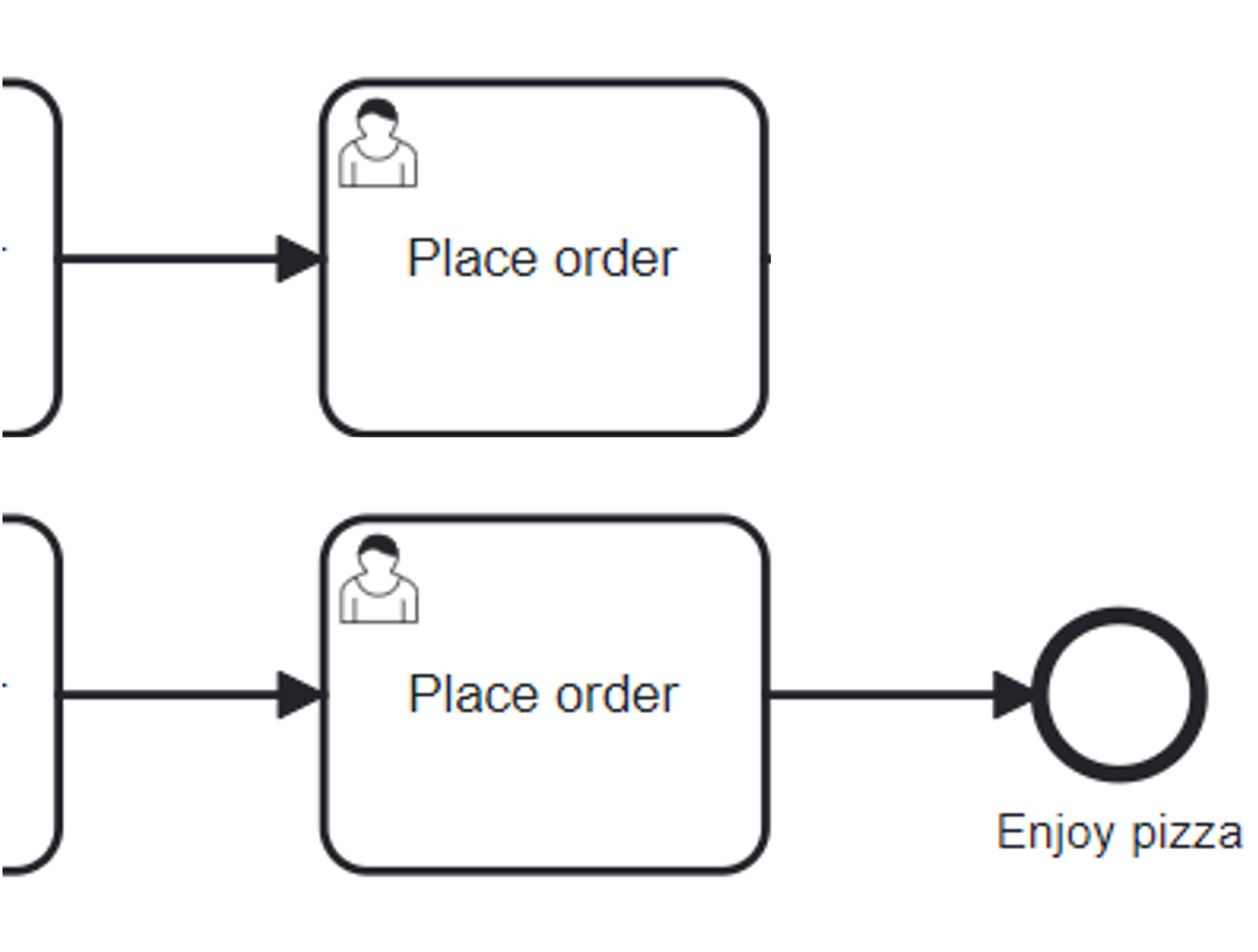
Don’t try to bring all flows to the single end event – it only makes your diagram messy.
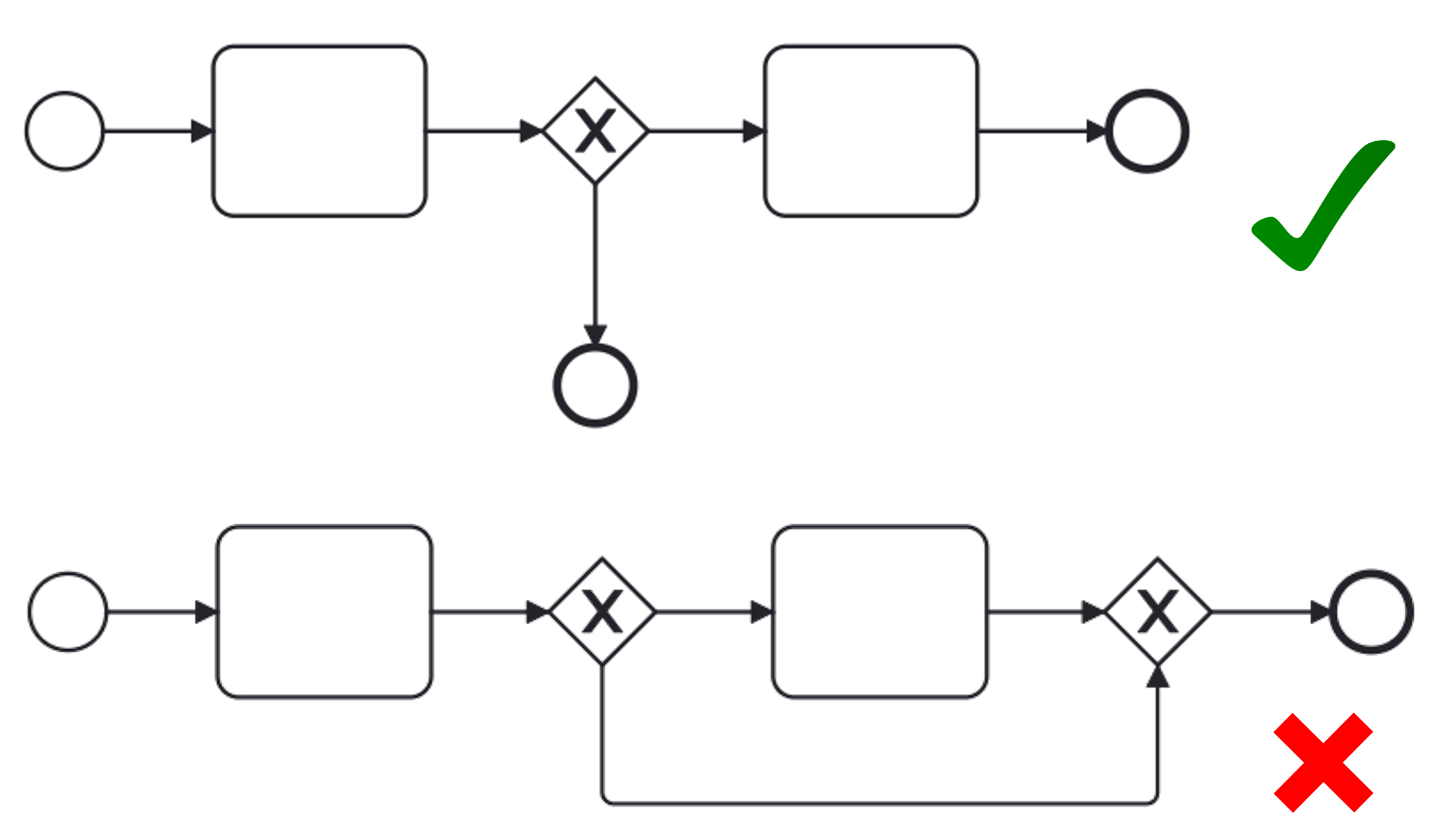
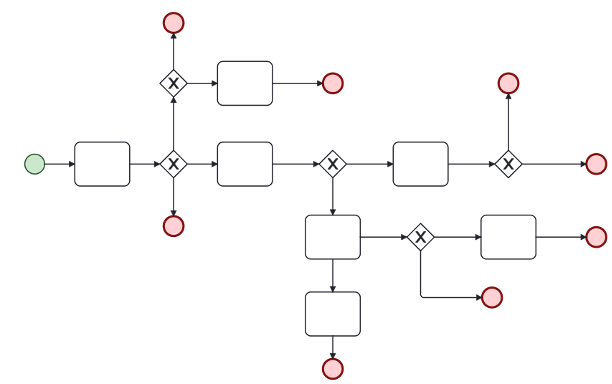
Multiple end events allow to analyze how processes ended.
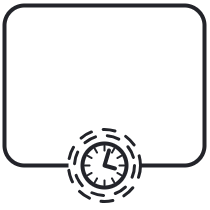
Timer Events
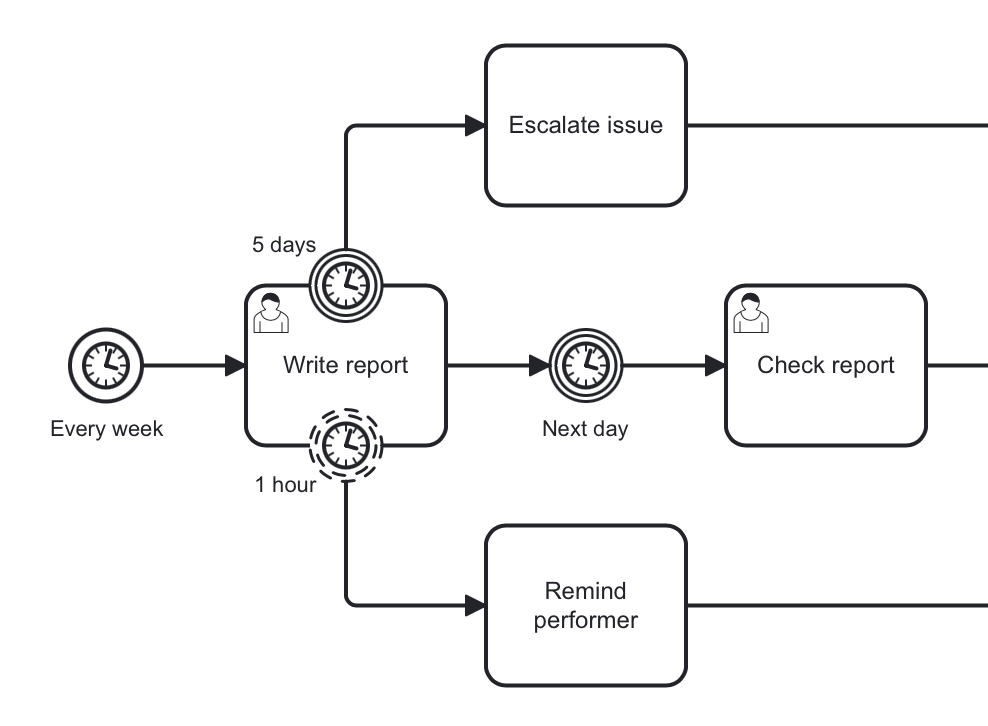
Timer events in BPMN are events that are triggered based on a predefined time or duration. Timer events can be used to control the flow of a process by specifying when certain activities should be executed.
Timers can also serve as boundary events, either interrupting or non-interrupting.
Timer Start Event
Timer start event is used to create process instances at a given time. It can be used for processes that should start only once or in specific time intervals.
|
Embedded subprocess cannot have a timer start event, but event subprocess can. |
A timer start event is visualized as a circle with clock inner icon.
In the BPMN modeler, you can set the following properties of a timer start event:
Property |
Description |
Id |
The identifier of the element. It is generated automatically, but you can change it to a more meaningful one to make logs easier to understand. |
Name |
The name of the element. |
Timer type |
Duration, Date, or Cycle. See Timer Types. |
Duration, Date, Cycle |
The timer value for the selected type. See Setting Time. |
Business calendar |
The business calendar used to calculate the timer. Available if the Business Calendars add-on is installed. |
Process variables |
Parameters used for starting the process via API. Available when no form is set. |
Execution listeners |
See Execution Listeners. |
Asynchronous execution |
Since Jmix 3.1 |
Documentation |
A description and additional information about the element. |
XML Representation
The XML representation of a timer start event is the normal start event declaration, with the timer definition sub-element.
<startEvent id="theStart">
  <timerEventDefinition> (1)
        . . . (2)
  </timerEventDefinition>
</startEvent>| 1 | Timer event definition. |
| 2 | Definition child element. |
Using Timer Start Event
In this example, the main process starts by timer event. And it has two event subprocesses also starting by timers. The first one is non-interruptible, it can do some activities at a certain moment from the process start. The second event subprocess has an interruptible timer, that means the main process will be stopped when this timer event fires.
Don’t use initiator variable in a process with timer start event, it causes execution error.
Unless you define and set its value programmatically.
|
Timer Intermediate Event
A timer intermediate event pauses process execution. When the execution reaches this event, a timer begins. Once the timer expires, the process resumes.
Timer intermediate event is a waiting state.
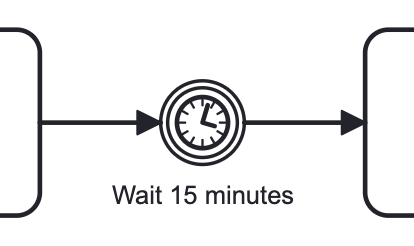
A timer intermediate event is visualized as an intermediate catching event, with the timer icon on the inside.
In the BPMN modeler, you can set the following properties of a timer intermediate event:
Property |
Description |
Id |
The identifier of the element. It is generated automatically, but you can change it to a more meaningful one to make logs easier to understand. |
Name |
The name of the element. |
Timer type |
Duration, Date, or Cycle. See Timer Types. |
Duration, Date, Cycle |
The timer value for the selected type. See Setting Time. |
Business calendar |
The business calendar used to calculate the timer. Available if the Business Calendars add-on is installed. |
Asynchronous execution |
Since Jmix 3.1 |
A timer intermediate event is defined as an intermediate catching event.
The specific type sub-element is, in this case, a timerEventDefinition element.
<intermediateCatchEvent id="timer">
  <timerEventDefinition>
    <timeDuration>PT8H</timeDuration> (1)
  </timerEventDefinition>
</intermediateCatchEvent>| 1 | Timer type, for example, duration. |
Timer Types
There are three timer types:
-
Duration – triggers after the specified time period.
-
Cycle – event repeats a certain number of times or according to Cron expression.
-
Date – fires at specified date; ignored if date is in the past.
| For start timer event duration counts from the moment the process was deployed to server. |
Setting Time
There are two ways to set the time parameter in timers: using a string in ISO 8601 format or a Cron expression.
ISO 8601
ISO 8601 is an international standard fpr dates, times and time intervals. For example:
-
2035-06-17T07:42:14 – a date representing the year 2035, June 17, at 07 hours, 42 minutes, and 14 seconds.
-
2050:01:01 – a date representing the year 2050, January 1, at 00 hours and 00 minutes.
-
PT30D – a duration of thirty days.
-
PT10M – a duration of ten minutes.
-
P3Y6M4DT12H30M5S – a duration of three years, six months, four days, twelve hours, thirty minutes, and five seconds.
-
R3PT10H – a cyclic period recurring three times every ten hours.
| Don’t use very short periods of time, smaller than 3 seconds. BPM isn’t a real-time system. |
Cron Expressions
Cron is a time-based job scheduling system used in Unix-like operating systems. It allows users to schedule tasks or commands to run at specific times, dates, or intervals. The term "cron" comes from the word "chronos," which means time in Greek.
You can specify time cycle using cron expressions; the example below shows trigger firing every 5 minutes, starting at full hour:
0 0/5 * * * ?
| In Timer intermediate event Cron expressions can be used ONLY with a Cyclic timer type. Otherwise, it’d be an error when you try to deploy the process. |
Message Events
Message events are events that reference a message definition. They are used to model communication between different parts of a business process or between different processes.
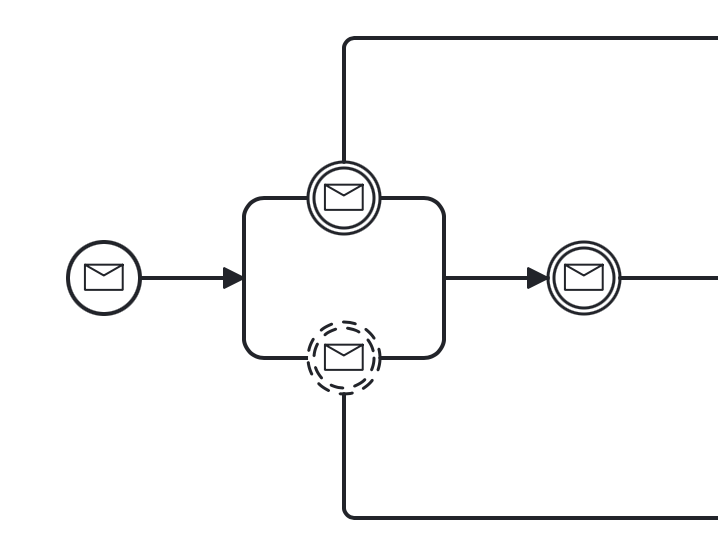
There are the following types of message events:
-
Message boundary catching events
| Message throwing events are not supported in Jmix BPM. See the workaround. |
Message Start Event
A message start event can be used to start a process instance using a named message.
A message start event is visualized as a circle with a message event symbol. The symbol is unfilled, to represent the catching (receiving) behavior.
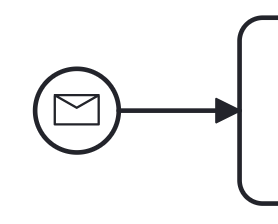
In the BPMN modeler, you can set the following properties of a message start event:
Property |
Description |
Id |
The identifier of the element. It is generated automatically, but you can change it to a more meaningful one to make logs easier to understand. |
Name |
The name of the element. |
Message |
The message the event refers to. It must be set, otherwise the process fails to deploy. See message definitions. |
Process variables |
Parameters used for starting the process via API. Available when no form is set. |
Execution listeners |
See Execution Listeners. |
Asynchronous execution |
Since Jmix 3.1 |
Documentation |
A description and additional information about the element. |
The XML representation of a message start event is the normal start event declaration with a messageEventDefinition child-element:
    <startEvent id="Message_start_event>
      <messageEventDefinition id="MessageEventDefinition_invoice"
            messageRef="new-invoice-message" /> (1)
</startEvent>| 1 | reference to the message definition. |
Using Message Start Event
A process can have one or more message start events, but messages must be different.
When a process is deployed, the engine creates a message subscription for each message start event. Any subscriptions from the previous version of the process will be closed.
|
The name of the message start event must be unique across all deployed process definitions. If a process definition containing one or more message start events references a message with the same name as a message start event already deployed by a different process definition, process engine will throw an exception upon deployment. |
Triggering Message Start Event Programmatically
When starting a process instance, a message start event can be triggered using startProcessInstanceByMessage methods on the RuntimeService.
In API call use exactly message name, not id. For example, we have such message definition:
<message id="green" name="Green" />Then, invoke API method the following way:
runtimeService.startProcessInstanceByMessage("Green");| Message start events are not supported on embedded subprocesses. |
Message Intermediate Catching Event
An intermediate catching message event catches messages with a specified name.
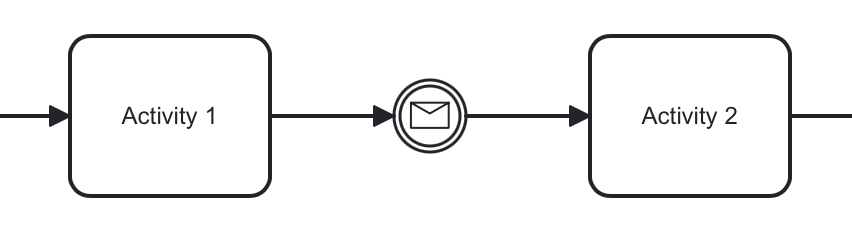
An intermediate catching message event is visualized as a typical intermediate event (circle with double outline), with the message icon inside. The message icon is unfilled to indicate its catch semantics.

In the BPMN modeler, you can set the following properties of a message intermediate catching event:
Property |
Description |
Id |
The identifier of the element. It is generated automatically, but you can change it to a more meaningful one to make logs easier to understand. |
Name |
The name of the element. |
Message |
The message the event refers to. It must be set, otherwise the process fails to deploy. See message definitions. |
Asynchronous execution |
Since Jmix 3.1 |
A message intermediate event is defined as an intermediate catching event.
The specific type sub-element is a messageEventDefinition element.
<intermediateCatchEvent id="catch-message-event"
    name="Catch message">
  <messageEventDefinition id="MessageEventDefinition_16bx9rl"
    messageRef="message-one" />
</intermediateCatchEvent>
When an intermediate message catch event is entered, a corresponding message subscription is created. The process instance stops at this point and waits until the message is received. After that, the catch event is completed and the execution continues.
Message intermediate catching event is a waiting state.
In this example, the process will wait for a message after the completion of Activity 1, and Activity 2 will be executed once the message is received.
Boundary Message Events
An attached intermediate catching message on the boundary of an activity, or boundary message event for short, catches messages with the same message name as the referenced message definition.
Boundary message events can be interruptible (with solid double outline) or non-interruptible (with dashed double outline).
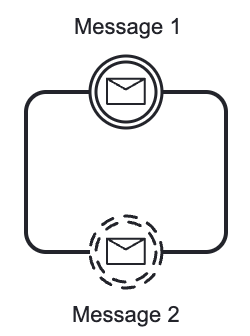
In the BPMN modeler, you can set the following properties of a boundary message event:
Property |
Description |
Id |
The identifier of the element. It is generated automatically, but you can change it to a more meaningful one to make logs easier to understand. |
Name |
The name of the element. |
Message |
The message the event refers to. It must be set, otherwise the process fails to deploy. See message definitions. |
Asynchronous execution |
Since Jmix 3.1 |
Boundary events are defined as child elements of the activity they attached to. Message events must have messageRef attribute referring to existing message definition.
Non-interruptible message event has an attribute cancelActivity=false.
<task id="Activity_task" name="Task" /> (1)
<boundaryEvent id="interruptible-message-event" name="Message 1" (2)
    attachedToRef="Activity_task">
  <messageEventDefinition id="MessageEventDefinition_1"
    messageRef="messageOne" />
</boundaryEvent>
<boundaryEvent id="non-interruptible-message-event" name="Message 2" (3)
    cancelActivity="false"
    attachedToRef="Activity_task">
  <messageEventDefinition id="MessageEventDefinition_2" messageRef="messageTwo" />
</boundaryEvent>| 1 | A task boundary message events attached to. |
| 2 | Interruptible message event. |
| 3 | Non-interruptible message event. |
Signal Events
Signal events refer a signal defined in a process. When a signal is sent, it will activate all events associated with that signal. Signals have a scope, it can be Global or Process instance.
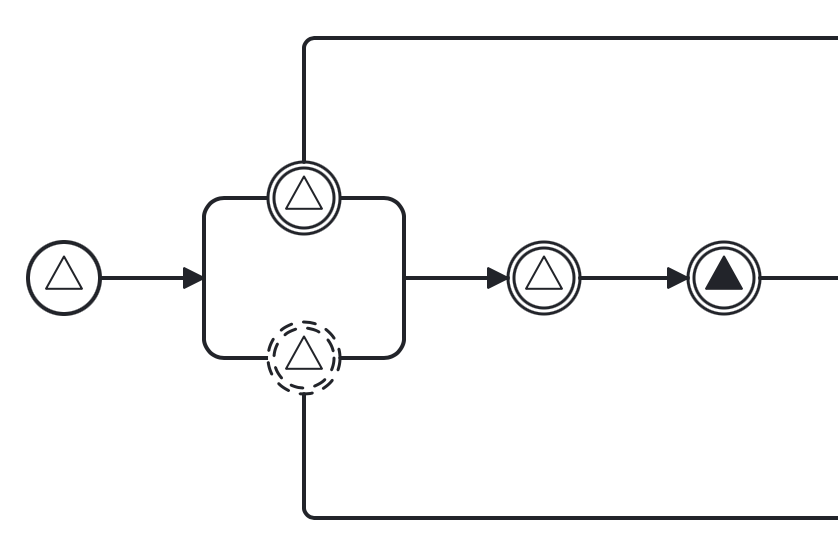
There are the following signal events in Jmix BPM:
|
Signal end event isn’t supported. Use workaround. |
Signal Start Event
A signal start event can be used to start a process instance using a named signal definition. The process can have one or more signal start events, but signal definitions must differ.
A signal start event is visualized as a circle with a signal event symbol. The symbol is unfilled, to represent the catching (receiving) behavior.
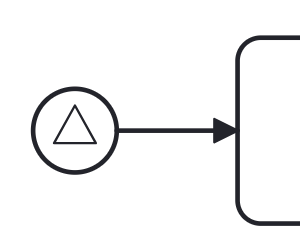
In the BPMN modeler, you can set the following properties of a signal start event:
Property |
Description |
Id |
The identifier of the element. It is generated automatically, but you can change it to a more meaningful one to make logs easier to understand. |
Name |
The name of the element. |
Signal |
The signal the event refers to. It must be set, otherwise the process fails to deploy. See signal definitions. |
Process variables |
Parameters used for starting the process via API. Available when no form is set. |
Execution listeners |
See Execution Listeners. |
Asynchronous execution |
Since Jmix 3.1 |
Documentation |
A description and additional information about the element. |
The XML representation of a signal start event is the normal start event declaration with a signalEventDefinition child-element:
    <startEvent id="signal-start-event" name="Start">
      <signalEventDefinition id="SignalEventDefinition_00paqo6" (1)
        signalRef="signal-one" /> (2)
      <outgoing>Flow_0h77bcd</outgoing>
</startEvent>| 1 | Event declaration. |
| 2 | Signal definition reference. |
Using Signal Start Event
When a process is deployed, the engine creates a signal subscription for each signal start event. Subscriptions of the previous version of the process would be closed.
It is allowed to have many process definitions with the signal start event referred to the same signal. When the signal fires, all subscriptions be activated and processes started.
The signal can be 'fired' from within a process instance using the intermediate signal throw event or through the API methods signalEventReceived.
In API call use exactly signal name, not id. For example, we have such signal definition:
<signal id="ready" name="Ready" flowable:scope="global" />Then, invoke API method the following way:
runtimeService.signalEventReceived("Ready");|
Signal start events are not supported in embedded subprocesses. |
Signal Intermediate Catching Event
Signal intermediate catching event catches signals with the same signal name as the referenced signal subscription. Signal intermediate catching event is a wait state.
An intermediate signal catch event is visualized as a typical intermediate event (circle with double outline), with the signal icon inside. The signal icon is unfilled to indicate its catch semantics.
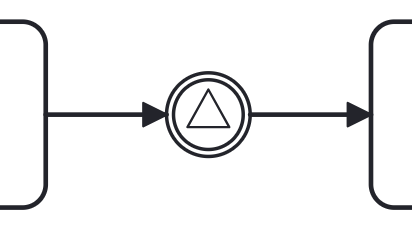
In the BPMN modeler, you can set the following properties of a signal intermediate catching event:
Property |
Description |
Id |
The identifier of the element. It is generated automatically, but you can change it to a more meaningful one to make logs easier to understand. |
Name |
The name of the element. |
Signal |
The signal the event refers to. It must be set, otherwise the process fails to deploy. See signal definitions. |
Asynchronous execution |
Since Jmix 3.1 |
<intermediateCatchEvent id="signal-catch-event" name="Catch signal">
      <incoming>Flow_0qwib28</incoming>
      <outgoing>Flow_1itm8do</outgoing>
      <signalEventDefinition id="SignalEventDefinition_1" (1)
        signalRef="signal-one" /> (2)
</intermediateCatchEvent>| 1 | — Signal event declaration. |
| 2 | — Reference to the signal definition. |
Signal Intermediate Throwing Event
An intermediate throwing signal event throws a signal event for a defined signal. The signal is broadcast to all catching signal events, starting and intermediate (signal subscriptions).
An intermediate signal throw event is visualized as a typical intermediate event (circle with double outline), with the signal icon inside. The signal icon is filled to indicate its throw semantics.
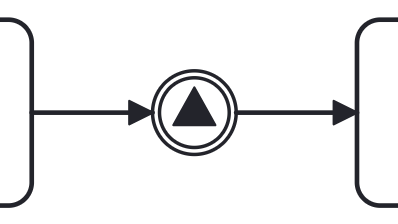
In the BPMN modeler, you can set the following properties of a signal intermediate throwing event:
Property |
Description |
Id |
The identifier of the element. It is generated automatically, but you can change it to a more meaningful one to make logs easier to understand. |
Name |
The name of the element. |
Signal |
The signal the event refers to. It must be set, otherwise the process fails to deploy. See signal definitions. |
Asynchronous execution |
Since Jmix 3.1 |
| The Asynchronous property makes the event itself asynchronous. It doesn’t define the publication mode of the signal. |
Signals Publication Mode
Signals can be published synchronously or asynchronously.
-
In the default configuration, the signal is delivered synchronously. This means that the throwing process instance waits until the signal is delivered to all catching process instances. The catching process instances are also notified in the same transaction as the throwing process instance, which means that if one of the notified instances produces a technical error (throws an exception), all involved instances fail.
-
A signal can also be delivered asynchronously. In this case, it is determined which handlers are active at the time the throwing signal event is reached. For each active handler, an asynchronous notification message (Job) is stored and delivered by the
JobExecutor.
A signal intermediate event is defined as an intermediate throwing event.
The specific type sub-element is, in this case, a signalEventDefinition element.
<intermediateThrowEvent id="Event_sync">
  <signalEventDefinition id="SignalEventDefinition_14tnjbf"
    signalRef="my-signal" /> (1)
</intermediateThrowEvent>


<intermediateThrowEvent id="Event_async">
  <signalEventDefinition id="SignalEventDefinition_14tnjbf"
    signalRef="my-signal" flowable:async="true" /> (2)
</intermediateThrowEvent>| 1 | Attribute async is omitted, implicitly it is false, the signal will be published synchronously. |
| 2 | Signal be published asynchronously. |
Error Events
Error events in BPMN are typically used to model exceptional or error situations that may arise during the execution of a process. They can be attached to activities or subprocesses within a BPMN diagram to define how errors should be handled, such as by triggering error handling routines, logging the error, or notifying stakeholders.
There are the following types of error events:
-
Error start event (in event subprocesses only)
Error Start Event
An error start event can be used to trigger an event subprocess. It cannot be used for starting a process instance. An error start event is always interrupting.
An error start event is visualized as a circle with an error event symbol. The symbol is unfilled, to represent the catching (receiving) behavior.
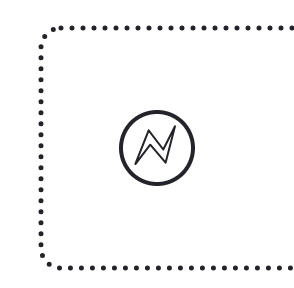
In the BPMN modeler, you can set the following properties of an error start event:
Property |
Description |
Id |
The identifier of the element. It is generated automatically, but you can change it to a more meaningful one to make logs easier to understand. |
Name |
The name of the element. |
Error |
The error the event refers to. If it is not set, the event subprocess starts for every error event that occurs. See error definitions. |
Execution listeners |
See Execution Listeners. |
Asynchronous execution |
Since Jmix 3.1 |
Documentation |
A description and additional information about the element. |
The XML representation of an error start event is the normal start event declaration with an errorEventDefinition child-element:
  <startEvent id="error-event" name="Error">
    <errorEventDefinition id="ErrorEventDefinition_1" (1)
        errorRef="failure" /> (2)
</startEvent>| 1 | Error event declaration. |
| 2 | Reference to error definition. |
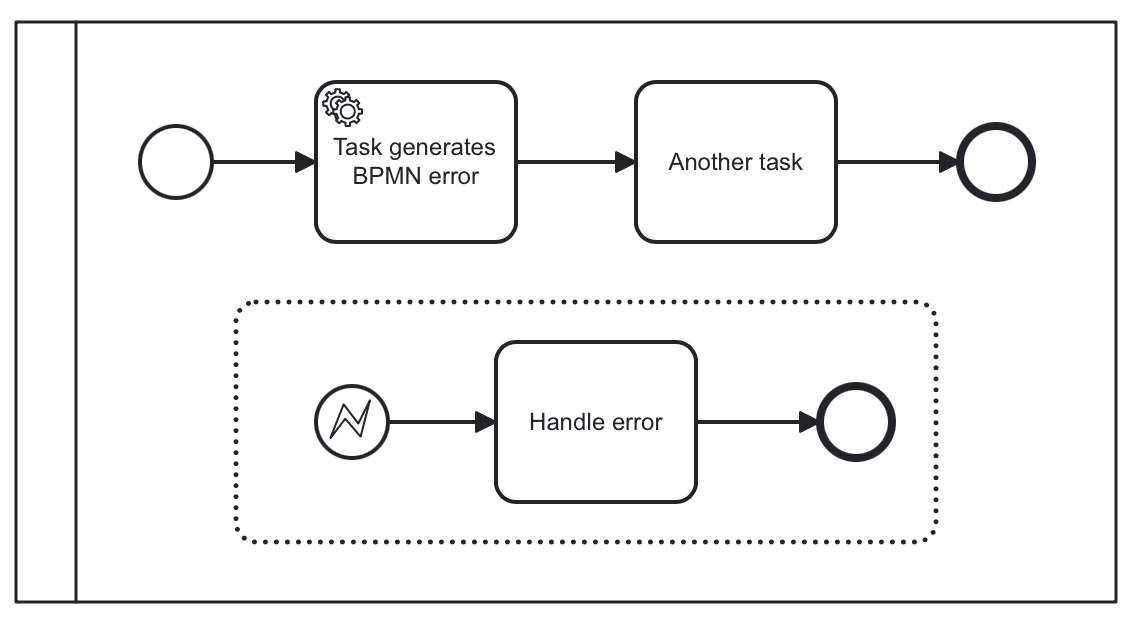
Error Boundary Event
An error boundary event catches errors that are thrown within the scope of the activity on which it is defined.
An error boundary event is visualized as a typical intermediate event (circle with double outline) on the boundary, with the error icon inside. The error icon is unfilled to indicate its catch semantics.
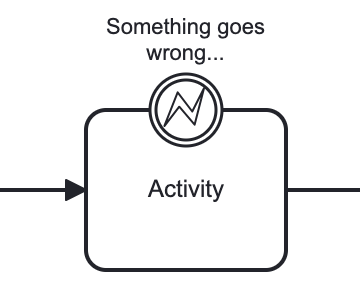
In the BPMN modeler, you can set the following properties of an error boundary event:
Property |
Description |
Id |
The identifier of the element. It is generated automatically, but you can change it to a more meaningful one to make logs easier to understand. |
Name |
The name of the element. |
Error |
The error the event refers to. If it is not set, the event catches any error. See error definitions. |
Execution listeners |
See Execution Listeners. |
Asynchronous execution |
Since Jmix 3.1 |
Documentation |
A description and additional information about the element. |
<serviceTask id="Activity_1" name="Check error"
. . .
</serviceTask>
<boundaryEvent id="error-boundary-event" name="Error"
    attachedToRef="Activity_1">
  <errorEventDefinition id="ErrorEventDefinition_1"
    errorRef="failure" />
</boundaryEvent>
Error End Event
When process execution arrives at an error end event, the current process path ends and an error is thrown.
An error end event is visualized as a typical end event (circle with a thick border), with the error icon inside. The error icon is filled to indicate its throwing semantics.
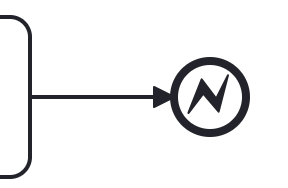
In the BPMN modeler, you can set the following properties of an error end event:
Property |
Description |
Id |
The identifier of the element. It is generated automatically, but you can change it to a more meaningful one to make logs easier to understand. |
Name |
The name of the element. |
Error |
The error the event refers to. See error definitions. |
Execution listeners |
See Execution Listeners. |
Asynchronous execution |
|
Documentation |
A description and additional information about the element. |
An error end event is represented as an end event, with an errorEventDefinition child element.
<endEvent id="Event_01" name="Error">
  <incoming>Flow_1i3jqxp</incoming>

  <errorEventDefinition id="ErrorEventDefinition_11xfxfw" (1)
    errorRef="failure" /> (2)
</endEvent>| 1 | Declaring error event |
| 2 | Reference to the error definition, it can be omitted. |
Using Error End Event
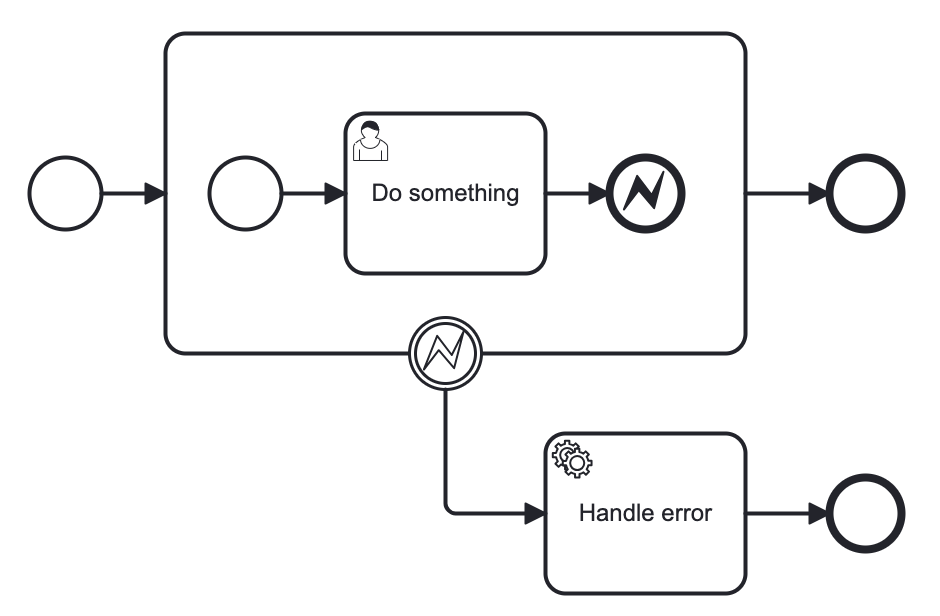
The error end event is a throwing event and must have the corresponding catching event. It can be an error boundary event if the error end event belongs to a subprocess.
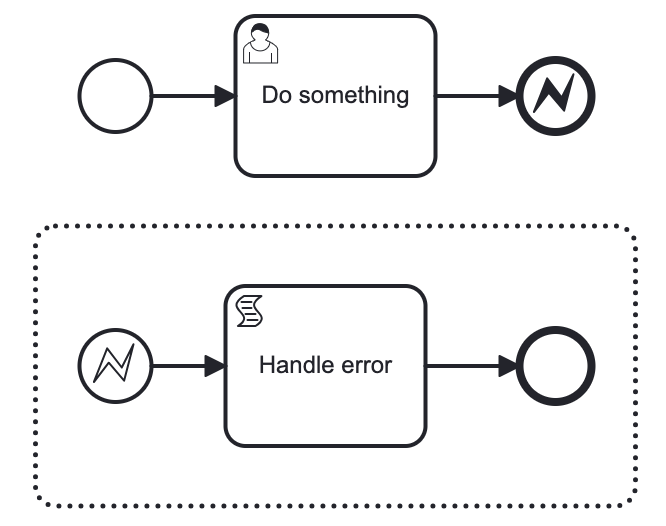
Or error start event if there is an event subprocess.
|
Using error end event without catching error event causes an exception at runtime. 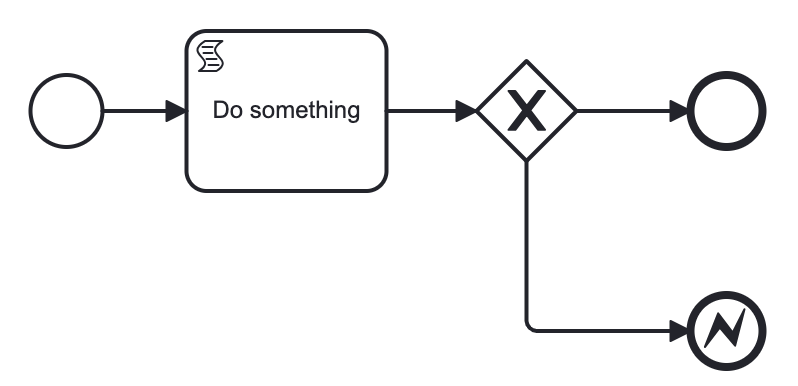
|
See the Error Handling section for more details.
Escalation Events
Since Jmix 3.1
An escalation event reports a situation to an enclosing scope, which can react to it with or without interrupting the work in progress.
You can create escalation events in the Modeler view, set their properties, and manage escalation definitions. To add an escalation event, click the Change type  icon of an event and select an escalation option.
| Event | Usage |
|---|---|
Escalation start event |
Starts an event subprocess when an escalation is thrown in the scope that contains the event subprocess. Can be interrupting or non-interrupting. The option is available only for start events inside an event subprocess. |
Escalation boundary event |
Catches escalations thrown inside the activity it is attached to, for example, an embedded subprocess. Can be interrupting or non-interrupting. |
Escalation intermediate throwing event |
Throws the escalation. Then the process continues along the outgoing sequence flow, unless an interrupting event has caught the escalation and canceled the enclosing scope. |
Escalation end event |
Throws the escalation and ends the current path. |
Matching Escalations
Escalation events refer to escalation definitions of the process. A definition has an id, a name, and an optional escalation code. You can manage definitions in the process properties or add one from an event by selecting Create new… in its Escalation field.
The engine matches throwing and catching events by escalation code:
-
It looks for a catching event in the scope of the throwing event first, and then in the enclosing scopes.
-
An event with no escalation set, or with an escalation definition that has no code, matches any escalation.
-
If an activity has several matching boundary events, the event with the same code takes precedence over a catch-all event. An event subprocess inside an activity takes precedence over a boundary event attached to that activity.
-
If no event catches the escalation, the engine ignores it. An uncaught error, in contrast, causes an exception at runtime.
Escalation Event Properties
In the Modeler view, you can set the following properties of escalation events:
Property |
Description |
Id |
The identifier of the element. It is generated automatically, but you can change it to a more meaningful one to make logs easier to understand. |
Name |
The name of the element. |
Escalation |
The escalation definition the event throws or catches. Leave it empty on a catching event to catch any escalation. |
Execution listeners |
See Execution Listeners. |
Asynchronous execution |
|
Documentation |
A description and additional information about the element. |
An escalation start event also shows the Process variables section, like other start events. Escalation end events have no Asynchronous leave and Asynchronous leave exclusive properties.
Example
In this example, the Process order subprocess throws the Low stock escalation after the Reserve items task. The non-interrupting boundary event catches the escalation and creates the Reorder items task. At the same time, the subprocess goes on to the Ship order task.
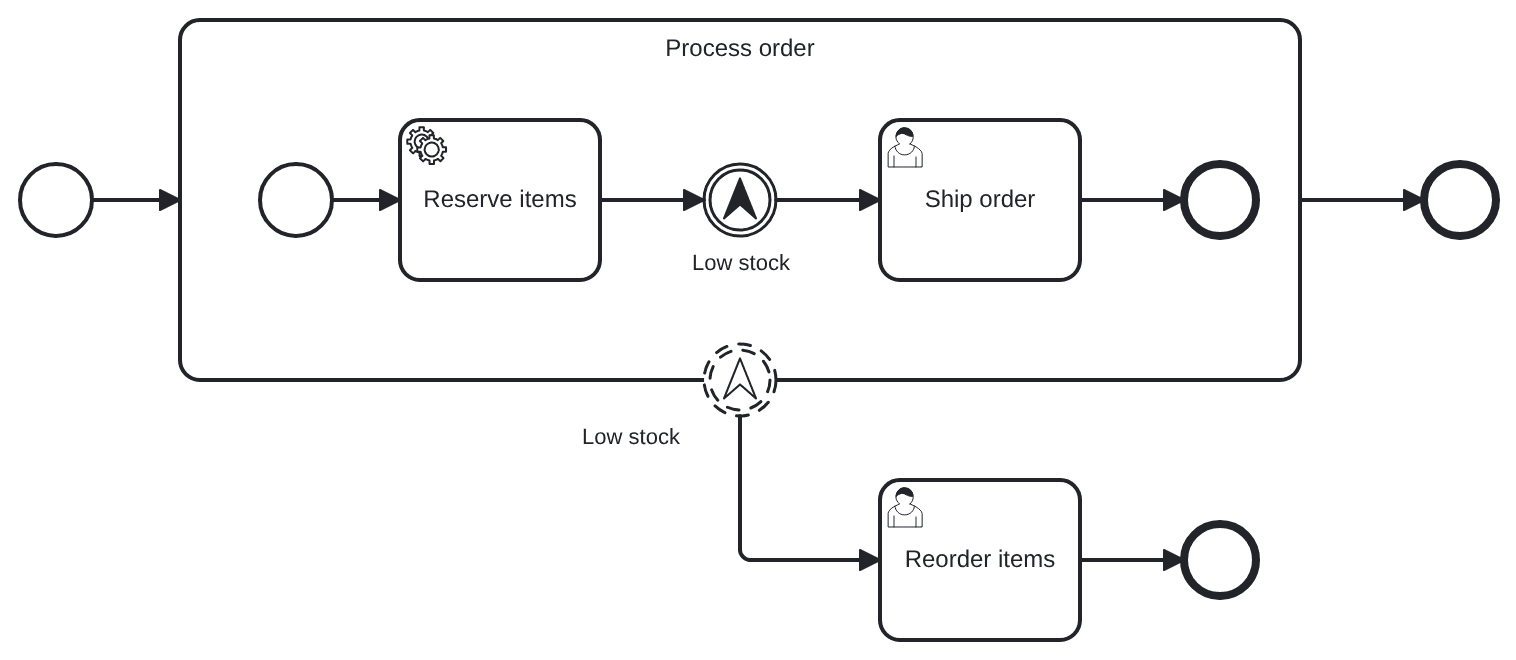
The XML of this example:
<definitions ...>
  <escalation id="low-stock" name="Low stock" escalationCode="LOW_STOCK" /> (1)

  <process id="order-processing" isExecutable="true">
    <subProcess id="process-order" name="Process order">
      . . .
      <intermediateThrowEvent id="low-stock-throw" name="Low stock">
        <escalationEventDefinition escalationRef="low-stock" /> (2)
      </intermediateThrowEvent>
      . . .
    </subProcess>
    <boundaryEvent id="low-stock-catch" name="Low stock"
        attachedToRef="process-order" cancelActivity="false"> (3)
      <escalationEventDefinition escalationRef="low-stock" />
    </boundaryEvent>
    . . .
  </process>
</definitions>| 1 | The escalation definition. |
| 2 | The throwing event refers to the definition. |
| 3 | A non-interrupting boundary event. For an interrupting event, omit cancelActivity or set it to true. A non-interrupting escalation start event has isInterrupting="false". |
Compensation Events
Compensation events make it possible to undo previous steps in case they partially fail or the outcome is not satisfactory.
There are types of compensation events:
Compensation Intermediate Throw Event
Compensation intermediate throwing event can be used to trigger compensation.
Triggering Compensation
Compensation can either be triggered for a designated activity or for the scope that hosts the compensation event. Compensation is performed through execution of the compensation handler associated with an activity.
When compensation is thrown for an activity, the associated compensation handler is executed the same number of times the activity completed successfully.
If compensation is thrown for the current scope, all activities within the current scope are compensated, which includes activities on concurrent branches.
Compensation is triggered hierarchically: if the activity to be compensated is a subprocess, compensation is triggered for all activities contained in the subprocess. If the subprocess has nested activities, compensation is thrown recursively. However, compensation is not propagated to the "upper levels" of the process: if compensation is triggered within a subprocess, it is not propagated to activities outside of the subprocess scope. The BPMN specification states that compensation is triggered for activities at "the same level of subprocess".
In Flowable, compensation is performed in reverse order of execution. This means that whichever activity completed last is compensated first, and so on.
The intermediate throwing compensation event can be used to compensate transaction subprocesses that competed successfully.
An intermediate compensation throw event is visualized as a typical intermediate event (circle with double outline), with the compensation icon inside. The compensation icon is filled to indicate its throw semantics.
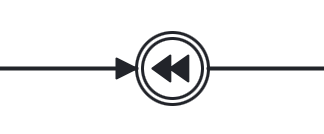
In the BPMN modeler, you can set only the following properties of a compensation throw event:
Property |
Description |
Id |
The identifier of the element. It is generated automatically, but you can change it to a more meaningful one to make logs easier to understand. |
Name |
The name of the element. |
A compensation intermediate event is defined as an intermediate throwing event. The specific type sub-element is, in this case, a compensateEventDefinition element.
<intermediateThrowEvent id="throwCompensation">
  <compensateEventDefinition id="CompensateEventDefinition_0s3nsqo" />
</intermediateThrowEvent>
In addition, the optional activityRef attribute can be used to trigger compensation of a specific scope or activity:
<intermediateThrowEvent id="throwCompensation">
    <compensateEventDefinition id="CompensateEventDefinition_0s3nsqo"
        activityRef="bookHotel" /> (1)
</intermediateThrowEvent>| 1 | Triggering compensation for specific activity. |
Example
If compensation is triggered within a scope that contains a subprocess, and that subprocess includes activities with compensation handlers, the compensation will only be propagated to the subprocess if it has completed successfully at the time the compensation is thrown.
If some activities nested within the subprocess have already completed and have attached compensation handlers, those handlers will not be executed if the subprocess itself has not yet completed. Consider the following example:
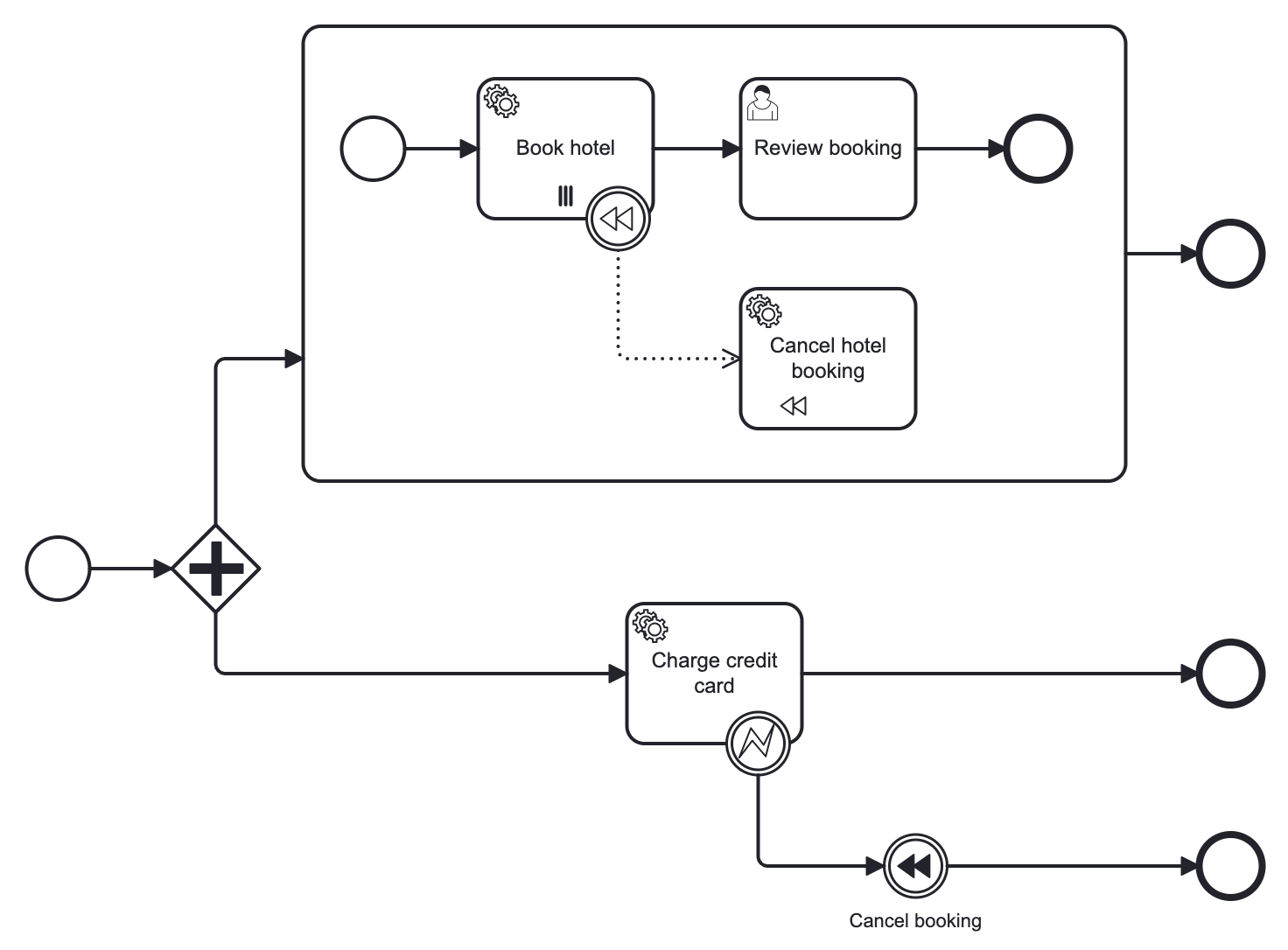
In this process, we have two concurrent executions: one for the embedded subprocess and another for the "charge credit card" activity. Let’s assume both executions have started, and the first concurrent execution is currently waiting for the user to complete the "review bookings" task.
The second execution carries out the "charge credit card" activity, during which an error occurs, triggering the "cancel booking" event to initiate compensation.
At this point, the parallel subprocess has not yet completed, meaning the compensation event is not propagated to it, and consequently, the "cancel hotel booking" compensation handler is not executed.
If the user task (and, consequently, the embedded subprocess) is completed before the "cancel booking" action is performed, compensation will be propagated to the embedded subprocess.
Compensation Boundary Event
Compensation boundary event can be used to attach a compensation handler to an activity.
The compensation boundary event must reference a single compensation handler using a directed association.
A compensation boundary event has a different activation policy from other boundary events. Other boundary events, such as the signal boundary event, are activated when the activity they are attached to is started. When the activity is finished, they are deactivated and the corresponding event subscription is canceled.
The compensation boundary event is different. The compensation boundary event is activated when the activity it is attached to completes successfully. At this point, the corresponding subscription to the compensation events is created. The subscription is removed either when a compensation event is triggered or when the corresponding process instance ends. From this, it follows:
-
When compensation is triggered, the compensation handler associated with the compensation boundary event is invoked the same number of times the activity it is attached to completed successfully.
-
If a compensation boundary event is attached to an activity with multiple instance characteristics, a compensation event subscription is created for each instance.
-
If the process instance ends, the subscriptions to compensation events are canceled.
|
The compensation boundary event is not supported on embedded subprocesses. |
A compensation boundary event is visualized as a typical intermediate event (circle with double outline) on the boundary, with the compensation icon inside. The compensation icon is unfilled to indicate its catching semantics. In addition to a compensation boundary event, the following figure shows a compensation handler associated with the boundary event using a unidirectional association.
The compensation boundary event must reference a single compensation handler using a directed association.
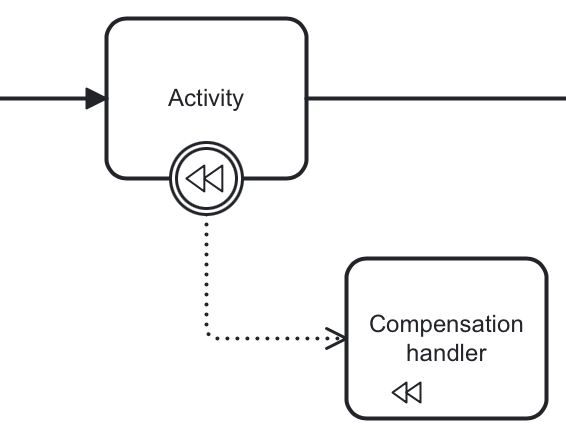
In the BPMN modeler, you can set only the following properties of a compensation boundary event:
Property |
Description |
Id |
The identifier of the element. It is generated automatically, but you can change it to a more meaningful one to make logs easier to understand. |
Name |
The name of the element. |
A compensation boundary event is defined as a typical boundary event:
<boundaryEvent id="Event_1" attachedToRef="Activity_1">
  <compensateEventDefinition id="CompensateEventDefinition_05" />
</boundaryEvent>

. . .

<association id="Association_02zt79e"
associationDirection="One"
sourceRef="Event_1" targetRef="Activity_1" />
Cancel Events
Cancel events are used in transaction subprocesses only. They are not available in the palette until you are in a transaction subprocess.
There are two types of cancel events:
Cancel End Event
The cancel end event can only be used in combination with a BPMN transaction subprocess. When the cancel end event is reached, a cancel event is thrown which must be caught by a cancel boundary event. The cancel boundary event then cancels the transaction and triggers compensation.
A cancel end event is visualized as a typical end event (circle with thick outline), with the cancel icon inside. The cancel icon is completely black, to indicate its throwing semantics.

In the BPMN modeler, you can set the following properties of a cancel end event:
Property |
Description |
Id |
The identifier of the element. It is generated automatically, but you can change it to a more meaningful one to make logs easier to understand. |
Name |
The name of the element. |
Asynchronous execution |
|
Documentation |
A description and additional information about the element. |
A cancel end event is represented as an end event, with a cancelEventDefinition child element.
<endEvent id="myCancelEndEvent">
    <cancelEventDefinition />
</endEvent>
Cancel Boundary Event
An attached intermediate catching cancel event on the boundary of a transaction subprocess, or boundary cancel event for short, is triggered when a transaction is canceled.
When the cancel boundary event is triggered, it first interrupts all active executions in the current scope. Next, it starts compensation for all active compensation boundary events in the scope of the transaction.
Compensation is performed synchronously; in other words, the boundary event waits before compensation is completed before leaving the transaction. When compensation is completed, the transaction subprocess is left using any sequence flows running out of the cancel boundary event.
|
A cancel boundary event is visualized as a typical intermediate event (circle with a double outline) on the boundary, with the cancel icon inside. The cancel icon is unfilled to indicate its catching semantics.
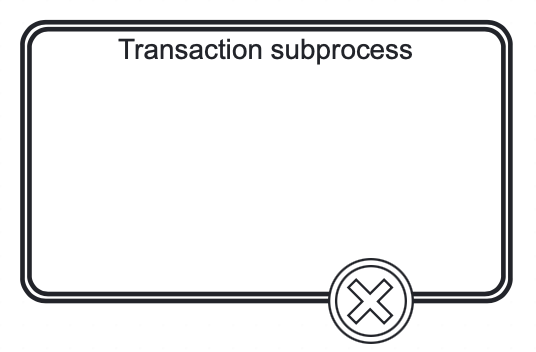
In the BPMN modeler, you can set only the following properties of a cancel boundary event:
Property |
Description |
Id |
The identifier of the element. It is generated automatically, but you can change it to a more meaningful one to make logs easier to understand. |
Name |
The name of the element. |
A cancel boundary event is defined as a typical boundary event:
<boundaryEvent id="boundary" attachedToRef="transaction" >
    <cancelEventDefinition />
</boundaryEvent>
As the cancel boundary event is always interrupting the cancelActivity attribute is not required.
Terminate end event
When a terminate end event is reached, all executions of the current process instance or subprocess will be terminated.
A cancel end event visualized as a typical end event (circle with thick outline), with a full black circle inside.

In the BPMN modeler, you can set the following properties of a terminate end event:
Property |
Description |
Id |
The identifier of the element. It is generated automatically, but you can change it to a more meaningful one to make logs easier to understand. |
Name |
The name of the element. |
Terminate all |
If selected, the root process instance is terminated regardless of where the event is placed, for example, in a subprocess. Not selected by default. |
Execution listeners |
See Execution Listeners. |
Asynchronous execution |
|
Documentation |
A description and additional information about the element. |
A terminate end event is represented as an end event, with a terminateEventDefinition child element.
<endEvent id="myEndEvent >
    <terminateEventDefinition  flowable:terminateAll="true">
    </terminateEventDefinition>
</endEvent>|
The |
Using Terminate End Event
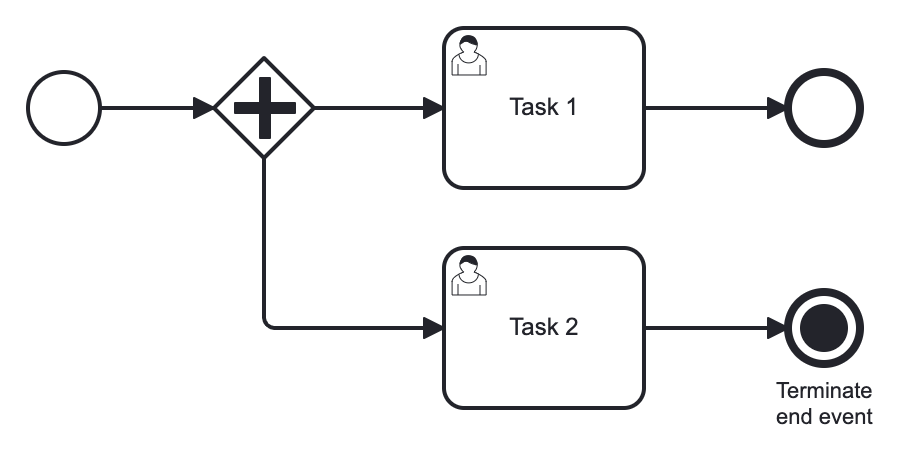
In this example, we can see two user tasks executed in parallel. If the task #2 to be completed first, the execution arrives to the terminate end event. At this moment, task #1 will be deleted even it is still active.
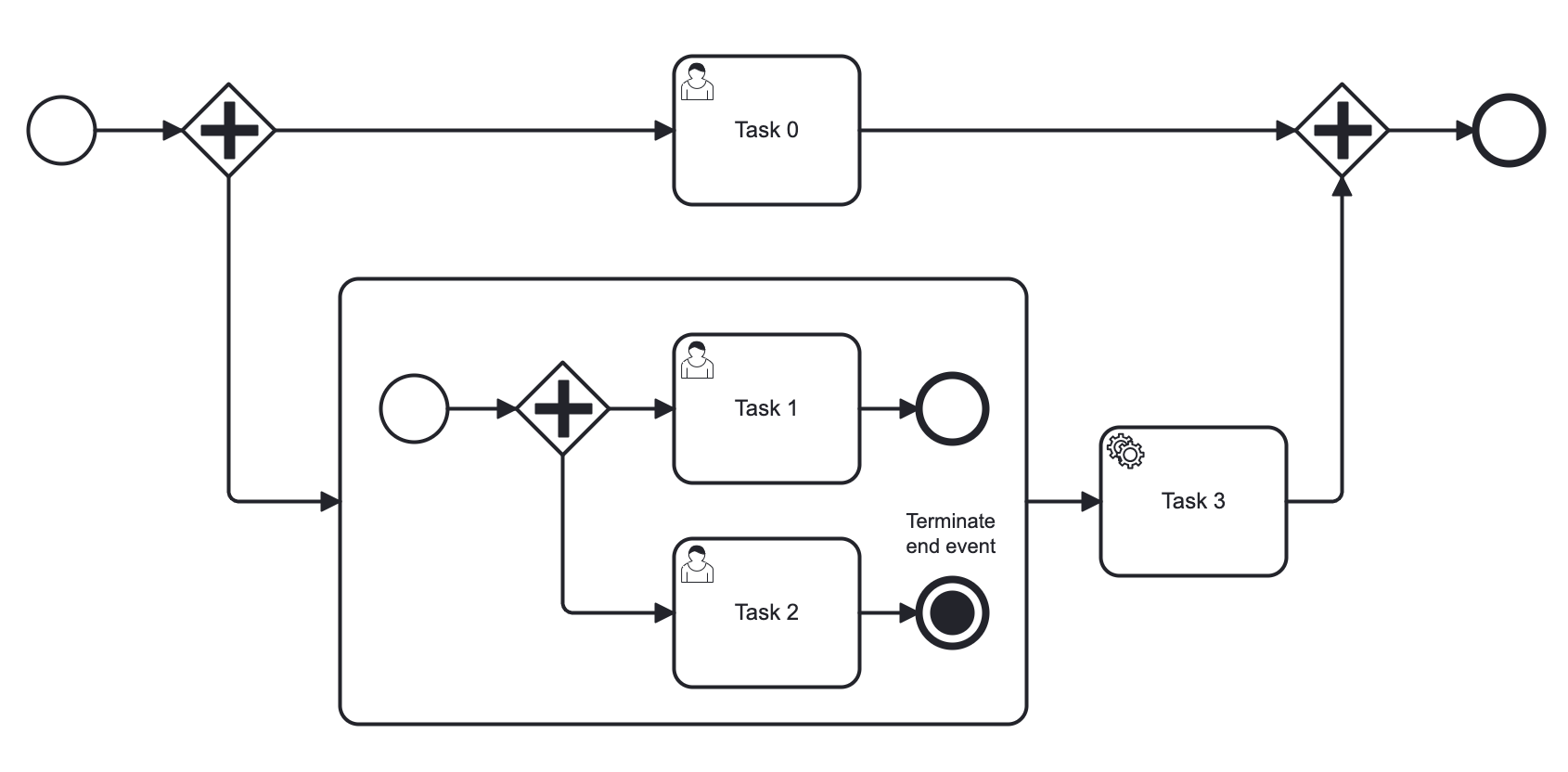
In the next example, the terminate end event is in a subprocess. When it will be reached, it affects only subprocess. So, task #1 will be deleted if it is active, subprocess be terminated, and the main process be continued a normal way.
BPMN Events Coverage
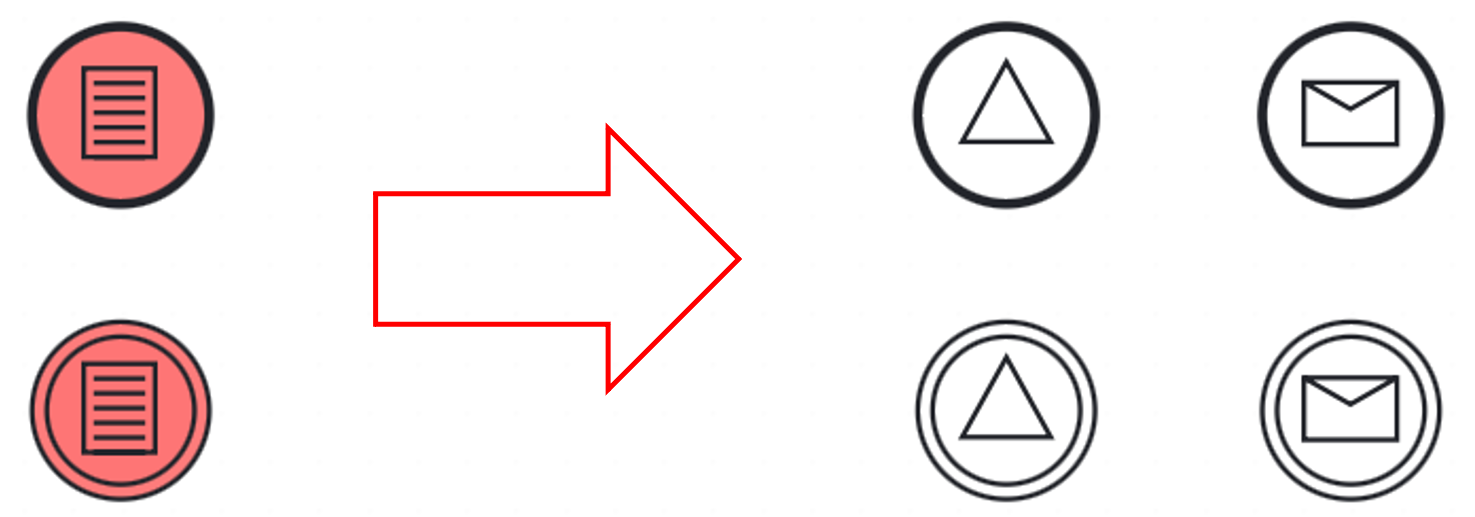
Jmix BPM doesn’t support all BPMN 2.0 events. In the diagram below, unsupported events are marked in pink.
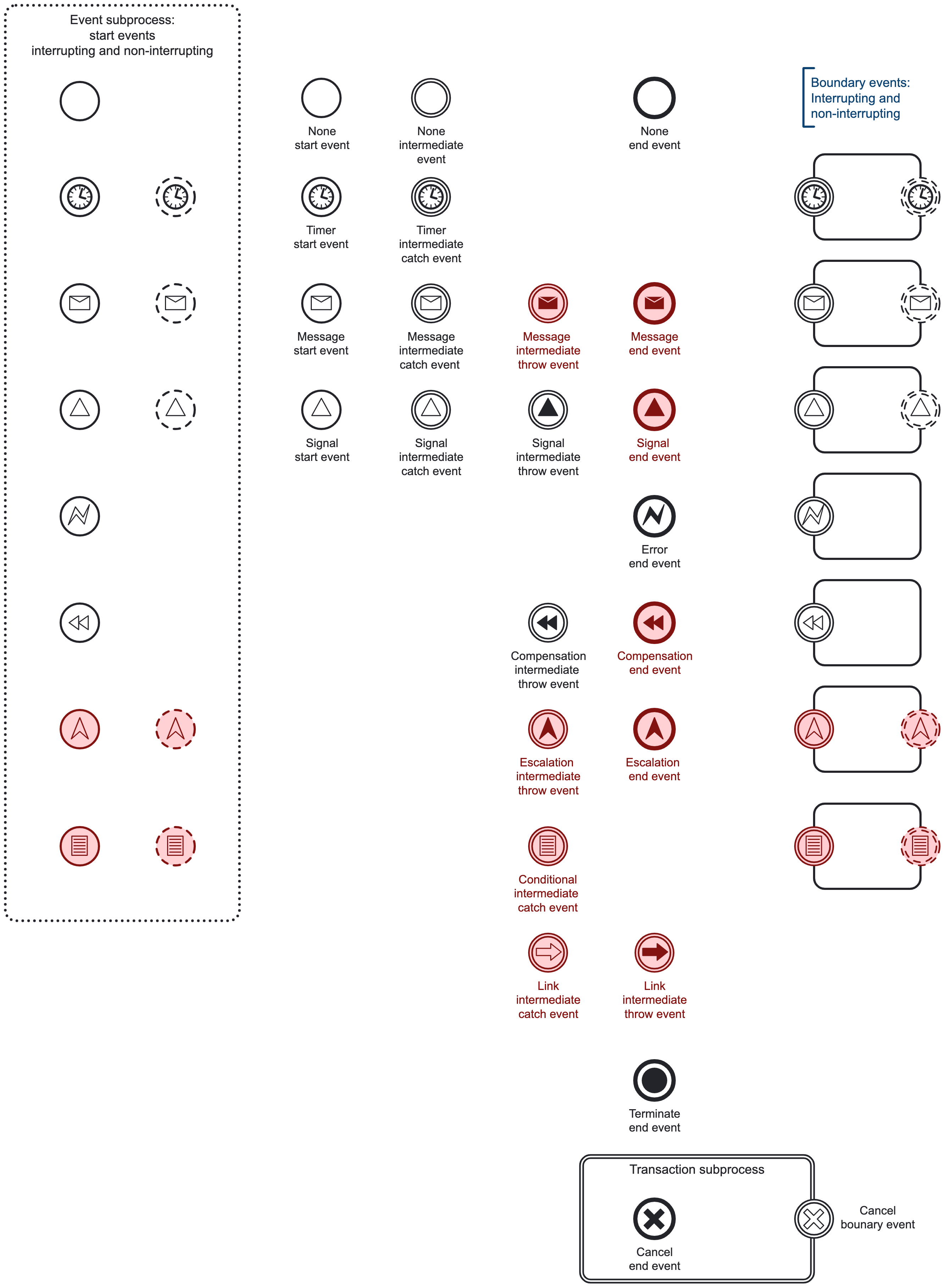
The following events are not supported:
-
Conditional events of all types
-
Link events
-
Message intermediate throwing events and message end events
-
Signal end events
-
Compensation end events
The Modeler view doesn’t offer these events. Conditional events are implemented in the Flowable engine but not supported in Jmix BPM. The other events are not implemented in Flowable either. See Workarounds for Unsupported Events for ways to model similar logic.
|
A BPMN model created in another tool can contain unsupported events. The Modeler view shows them on the diagram, but some of them don’t work as the BPMN specification defines:
|
Workarounds for Unsupported Events
In this section, you’ll find recipes how to implement a desired process logic for elements that are not supported in Jmix BPM.
Message Throwing Event
First, use signals instead of messages everywhere it is possible. In most cases, these types of events are interchangeable.

Second, use a service task with the API call.
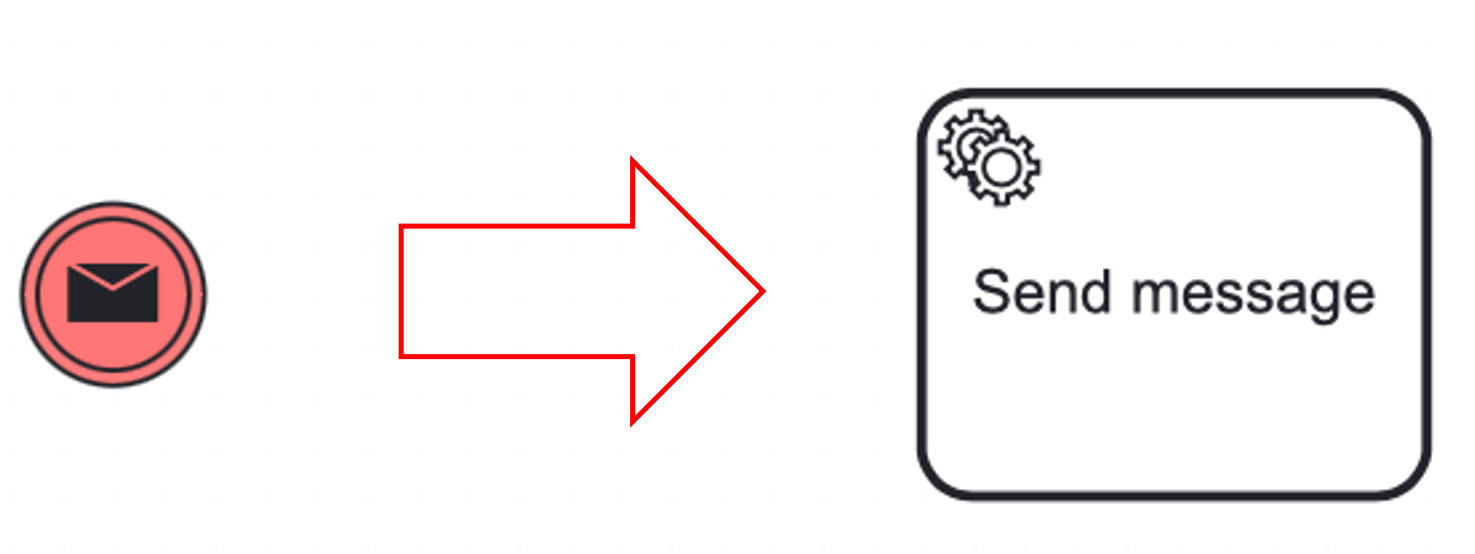
Service task can be implemented as Spring bean, for example:
@Component(value = "smpl_MyService")
public class MyService {

    @Autowired
    private RuntimeService runtimeService;

    public void sendMessage(String messageName, String executionId) {
        runtimeService.messageEventReceived(messageName, executionId);
    }
}
Signal Throwing End Event
Use the combination of signal throwing intermediate event and none_end_event:


Conditional Events
The conditional event defines an event which is triggered if a given condition is evaluated to true. It can be used as start event of an event subprocess, as intermediate event and boundary event. The start and boundary event can be interrupting and non interrupting.
You can implement similar logic by using execution listeners in combination with signal or message event.