Reports
The Reports add-on allows developers and end users to design and generate various reports by formatting data from the Jmix application using templates created in user-friendly office applications or HTML.
The add-on provides the following features:
-
Creating reports at design time using annotated Java classes or at runtime using the admin UI, or a step-by-step wizard.
-
Generating reports in DOCX, XLSX, HTML, CSV, PDF, arbitrary text format, or display as table within the application.
-
Creating advanced XLSX reports with grouping, data aggregation, and cross-tabs.
-
Using diagrams and formulas in XLSX reports.
-
Managing report access, REST API usage, and execution history.
Refer to the Report Generation guide for practical examples that demonstrate report design.
Related Add-ons
Two more add-ons extend the reporting functionality:
-
Vaadin Spreadsheet provides the spreadsheet component.
-
Report Spreadsheet uses that component to open and edit XLS and XLSX reports inside the application. See Opening Reports within the Application.
Installation
For automatic installation through Jmix Marketplace, follow instructions in the Add-ons section.
For manual installation, add the following dependencies to your build.gradle:
implementation 'io.jmix.reports:jmix-reports-starter'
implementation 'io.jmix.reports:jmix-reports-flowui-starter'
To use JasperReports templates, add the following dependencies:
implementation 'net.sf.jasperreports:jasperreports'
implementation 'net.sf.jasperreports:jasperreports-fonts'
implementation 'net.sf.jasperreports:jasperreports-functions'
To access reports through the REST API, also add the following dependencies:
implementation 'io.jmix.reports:jmix-reports-rest-starter'|
The Reports add-on uses the LibreOffice package to output reports in PDF and DOC formats. Install LibreOffice to support PDF and DOC output. |
|
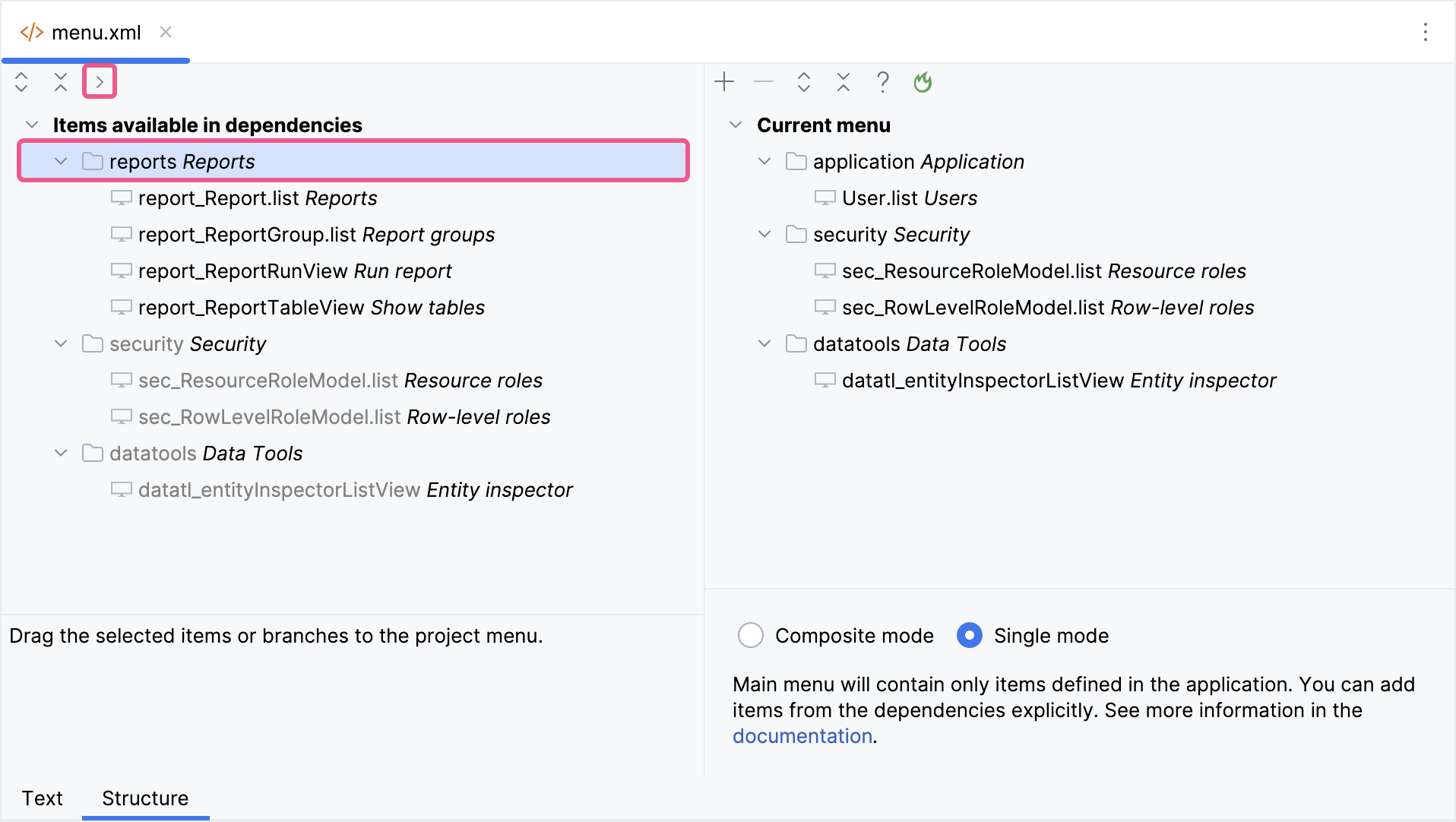
Important Note for Single Menu Mode Applications If your application uses Single menu mode, you should manually add menu items after installing an add-on.
This step is required because applications in Single menu mode do not automatically merge add-on menus with the existing structure. |