Process Drafts
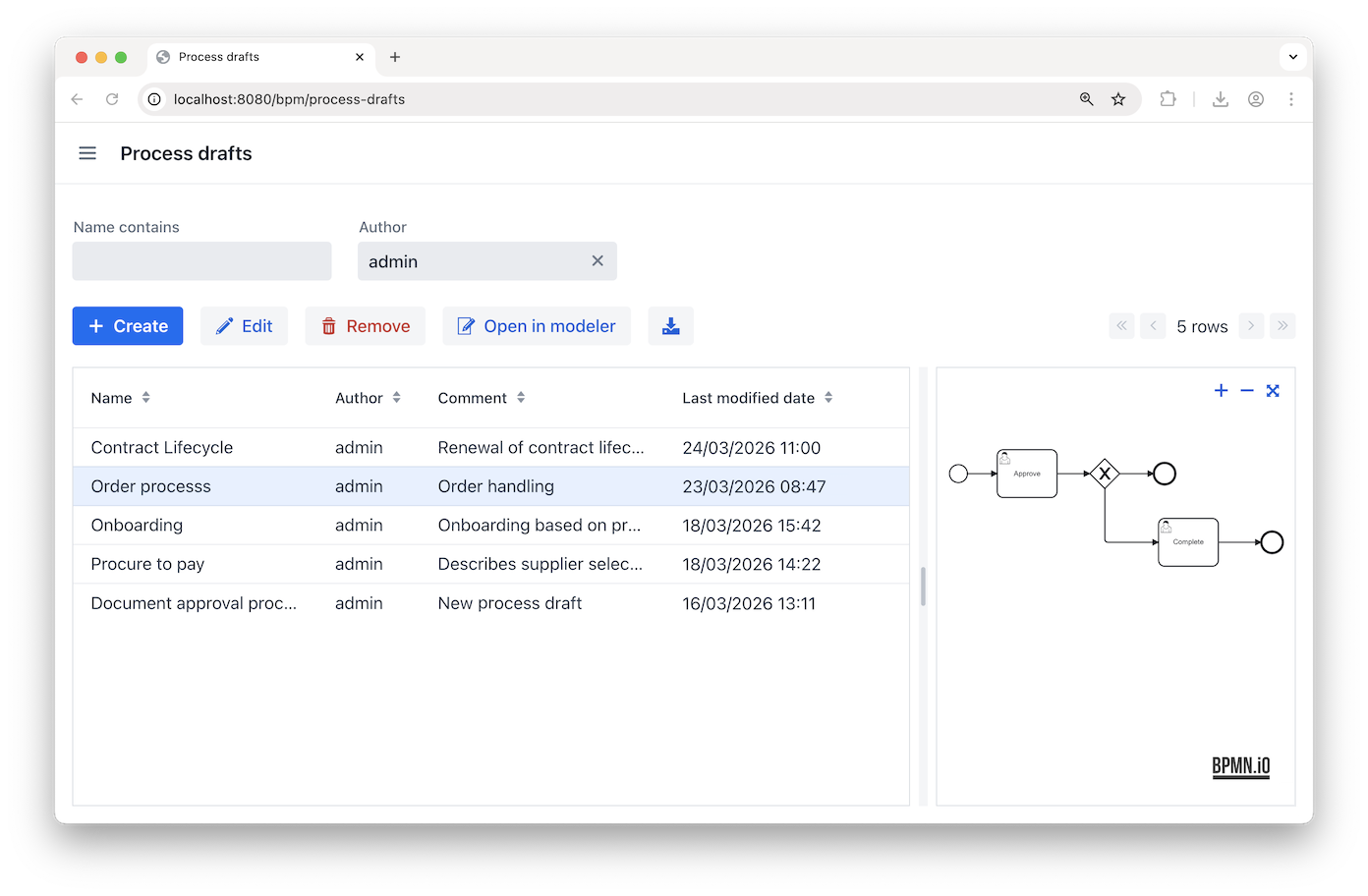
The Process drafts view lets you browse and preview all available process drafts.
Draft List Features
The following actions are available:
-
Diagram preview — View a process diagram preview in the right panel. Supports panning and zooming.
-
Filtering drafts — Filter the draft list by name and author. Results update as you type values into the fields.
-
Create — Create a new draft either from scratch or by uploading a BPMN XML file (must use
.bpmnor.bpmn20.xmlextension). -
Edit – Rename the selected draft and update its comment, or replace its BPMN XML file by uploading a different one.
-
Remove drafts — Remove the selected draft.
-
Open in Modeler — Open the selected draft in the Modeler to make edits.
-
Download BPMN XML — Downloads the diagram for the selected draft as a
.bpmnfile.
