Data Model
The Data model view (Data tools → Data model) displays entities and their attributes in the running application.
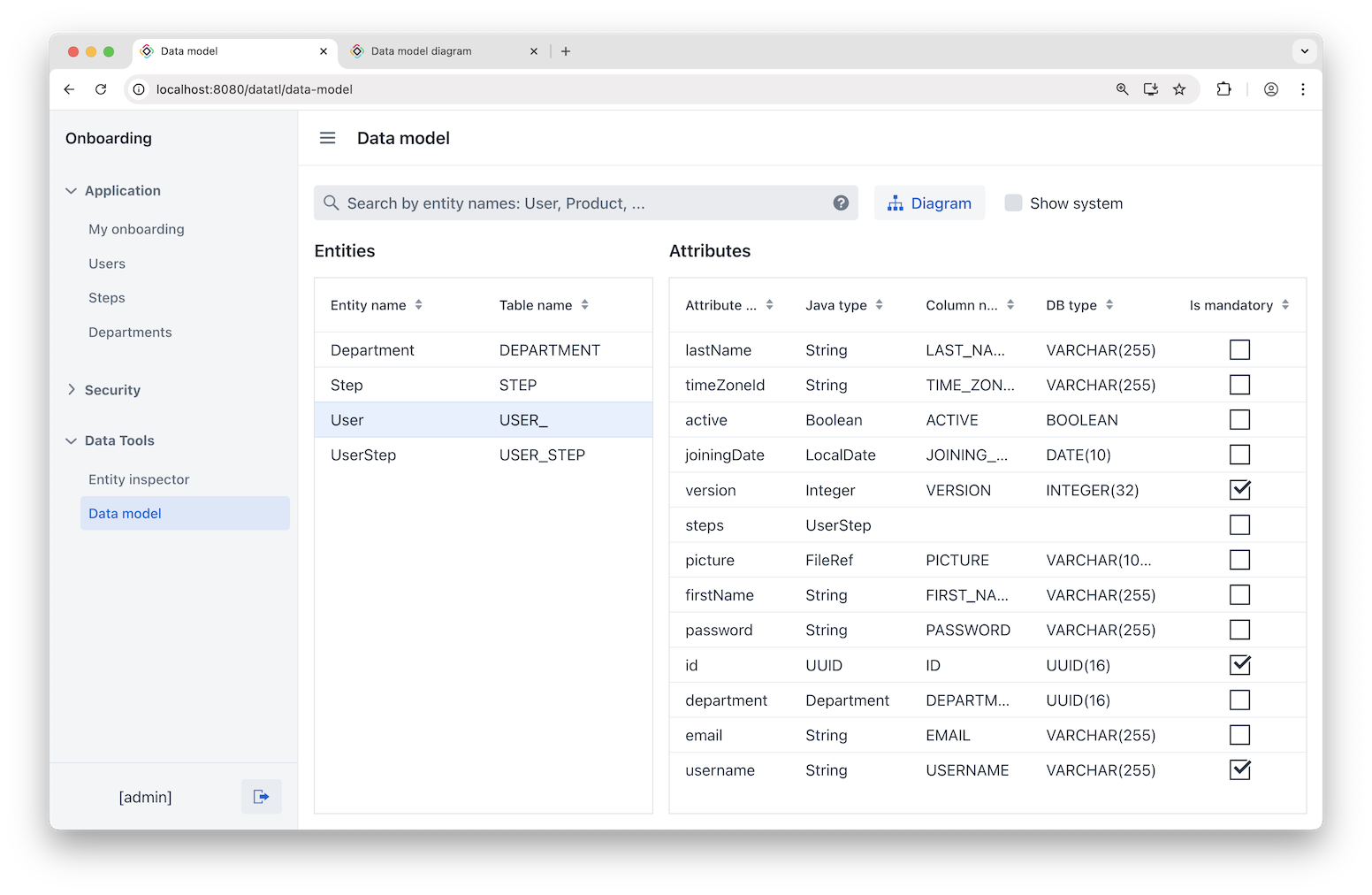
The Entities grid shows each entity’s name and its corresponding database table name. Selecting an entity updates the Attributes grid to list that entity’s attributes, including attribute name, Java type, database column name, database type, and the "is mandatory" flag.
Searching Entities
Use the Show system checkbox to include both project entities and internal Jmix entities from add-ons. To search for specific entities, enter their names separated by commas, such as Customer, Order, User, or use a regular expression. The Entities grid updates to display matching results.
PlantUML Diagram
Click Diagram to open a new browser tab with a PlantUML diagram that includes entities currently filtered in the view. By default, the diagram is rendered using a public PlantUML server at https://www.plantuml.com. You can switch to a self-hosted server by setting the application property:
jmix.datatools.data-model-diagram.host = <self-hosted-server>
